Get Started
New to Pikel? Create an account, join a club, and RSVP to your first game.
What does "Is this you?" mean in Pikel?
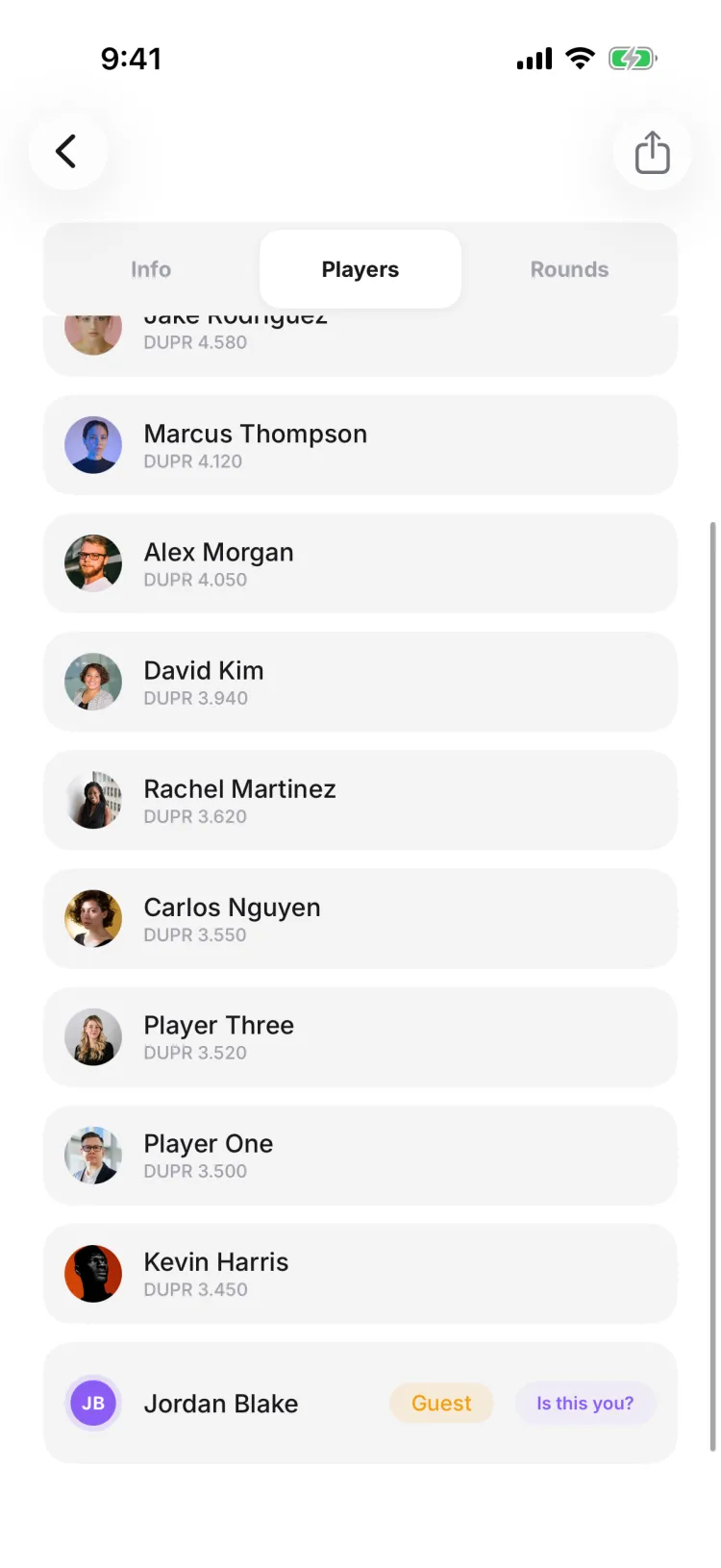
When an organizer adds you to a game before you're in the app, they add you as a guest — a placeholder with your name on the roster and an amber "Guest" badge. Once you open that game signed in, Pikel shows an "Is this you?" chip next to that name so you can claim the spot and make it really yours.
Do I need an account to claim my spot?
Yes. Claiming merges the guest placeholder into a real account, so sign in or create one first — it's free and takes a moment. Then open the game and tap your name; the "Is this you?" prompt only appears once you're signed in.
What happens to my games when I claim a spot?
They follow you. Claiming re-points every game, match, and standing from the guest placeholder onto your account, and your real name replaces the placeholder on the roster. Your match history and stats move with you, so you're a full participant, not just a name on the list.
The claim button asks me to request it instead of saying "This is me" — why?
The organizer set that game to approve claims. Tap it — it's labelled "Request to claim" on iOS and "Request" on Android — and Pikel sends the organizer a request ("Request sent"); once they confirm you, the spot is yours. Games left on the instant default just say "This is me" and claim on the spot.
Can I claim a guest spot I created for someone else?
No. Pikel only offers the "Is this you?" chip for guest spots you didn't create, and it won't show if you're already in that game under your own account — so you can't accidentally claim someone else's placeholder.
How do I sign up for Pikel?
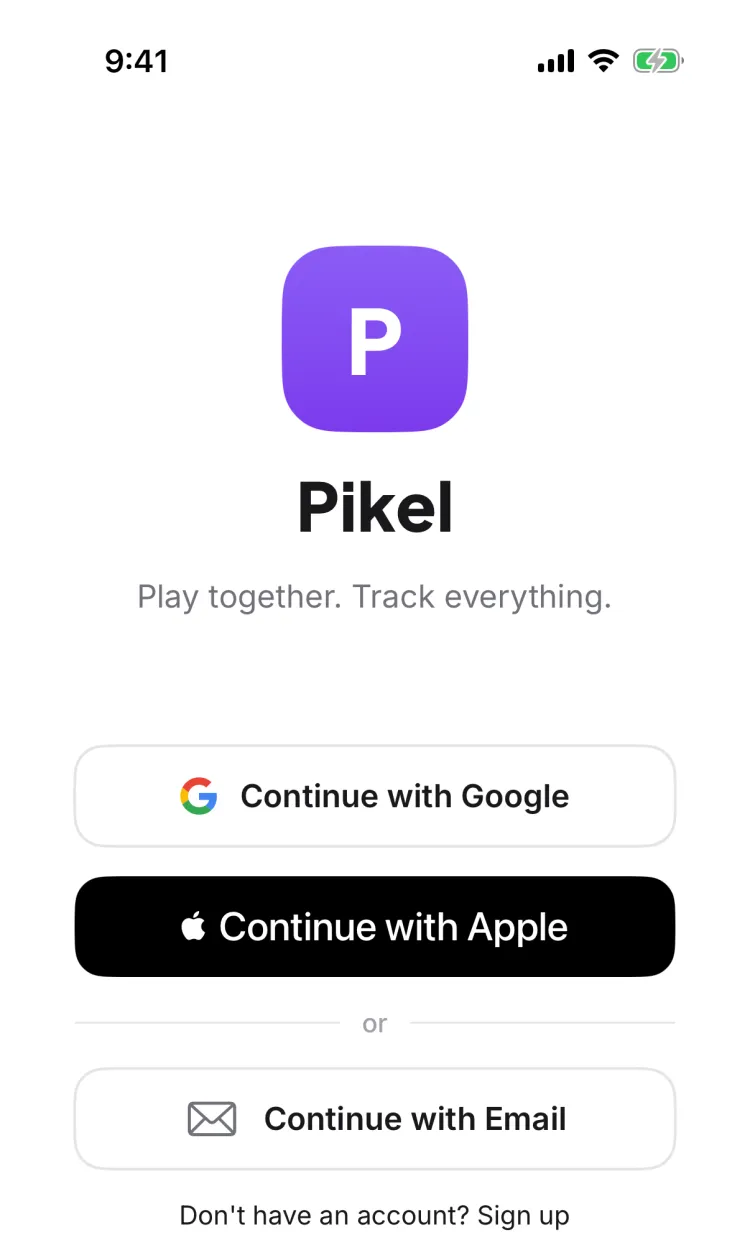
Download Pikel, open it, and pick how you want to sign in. On the welcome screen you can tap Continue with Google, Continue with Email, or — on iPhone — Continue with Apple. Google and Apple sign you up in one tap; email lets you set your own password.
Can I create an account with just an email and password?
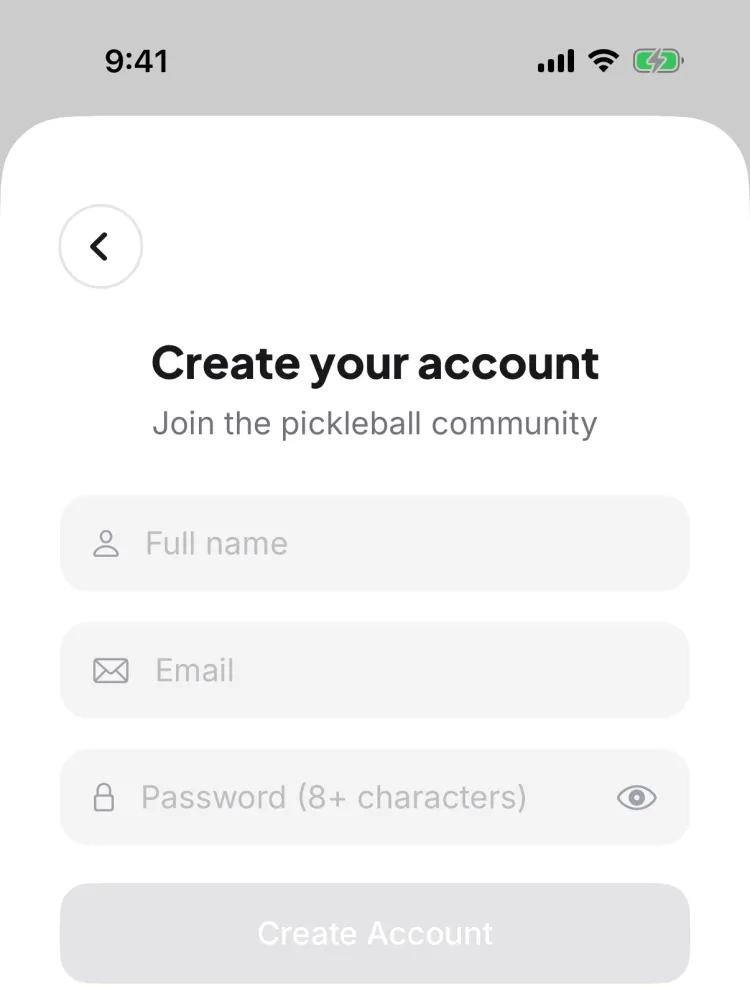
Yes. Tap Continue with Email, then open the sign-up form, and enter your full name, email, and a password of at least 8 characters. Pikel emails you a 6-digit code to confirm your address — type it in and you're in. The code auto-submits once you've entered all six digits.
Is Continue with Apple available on Android?
No. Continue with Apple is iPhone-only. On Android, Pikel offers Continue with Google and email-and-password sign-up. Both platforms share the same account, so you can sign in on either with Google or email.
What happens right after I create my account?
You get a short welcome tour, an optional prompt to add your name, and an optional step to link your DUPR rating. Every one of these is skippable — tap Skip and you land straight in the app, ready to join a club or find a game.
Can I use Pikel in my language?
Yes. Pikel is available in nine languages, including English, Spanish, French, German, Italian, Vietnamese, Malay, Hindi, and Filipino. It follows your phone's language by default, and you can change it anytime under Profile → Language.
How do I find pickleball courts and clubs near me?
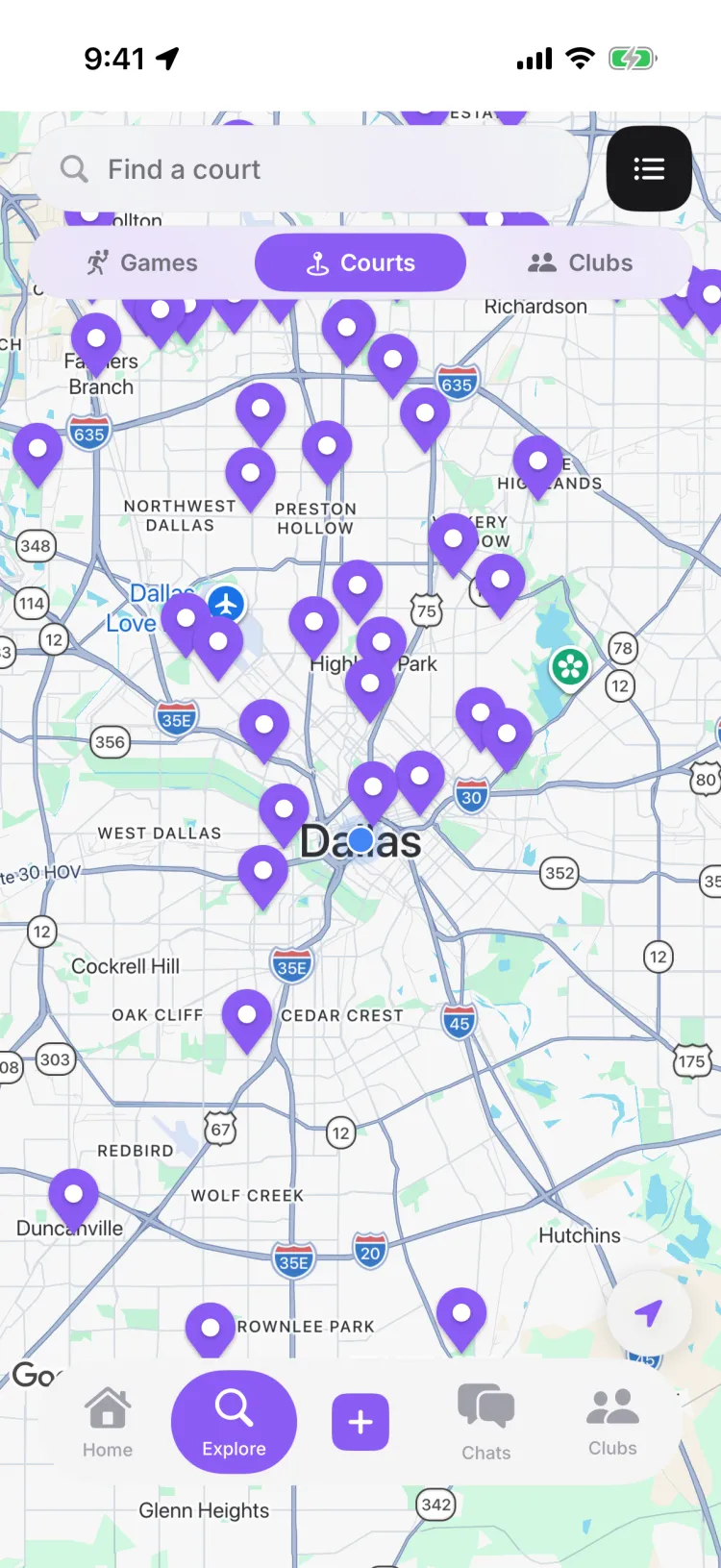
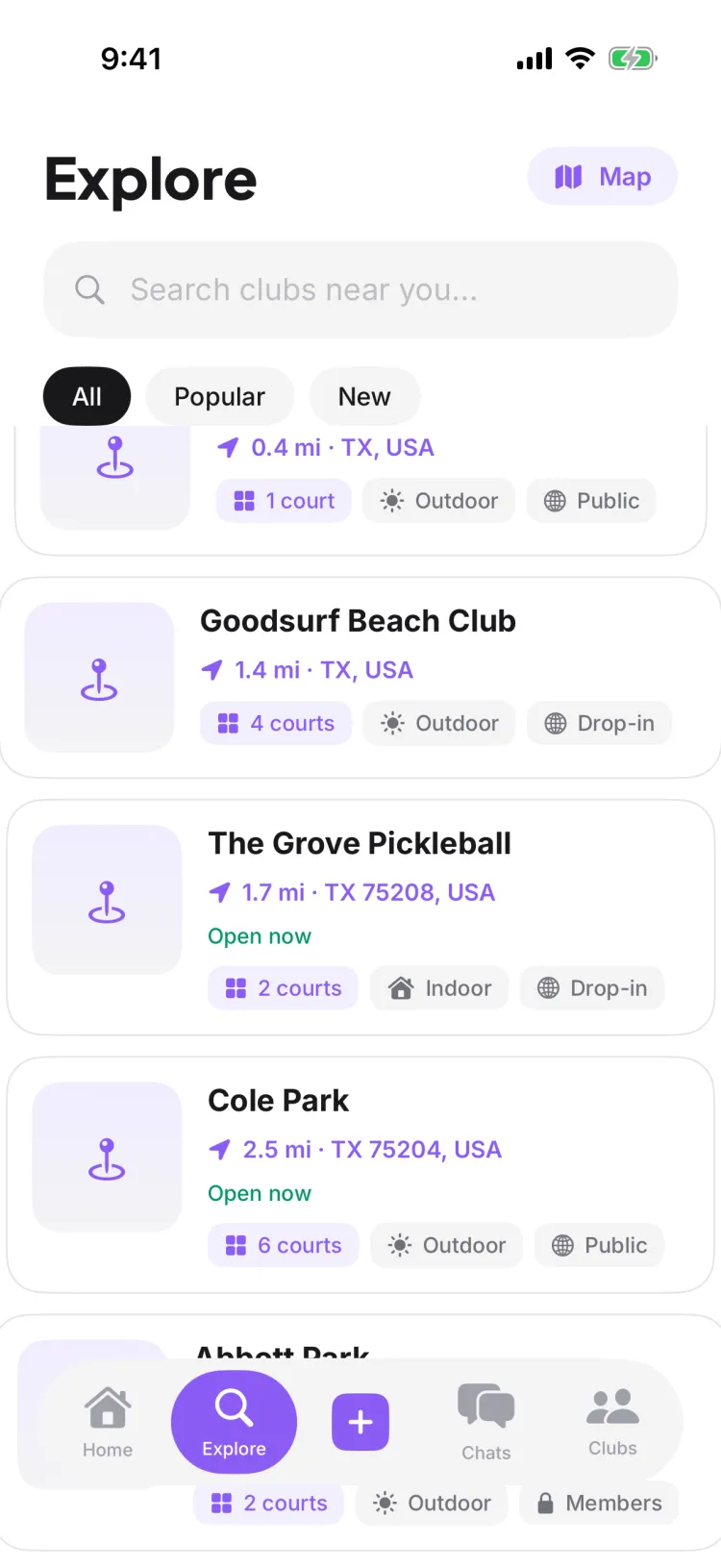
Open the Explore tab. It shows a map of courts, clubs, and open games near you, with Games, Courts, and Clubs lenses to filter down to what you want. Tap a court for its details and schedule, get directions, or start a game there. Explore is open to everyone — you don't need to be in a club to look around.
Do I need to turn on location to use Explore?
No. Pikel asks to use your location so it can center the map on you and sort results by distance, but you can skip it and still browse. Use the map's search to type a court name, a city, or a ZIP and jump anywhere Pikel has data. If you declined location earlier, there's an Enable location in Settings shortcut on the map.
Do I have to join a club to see courts near me?
No. Explore is a public discovery surface — anyone with the app can open it and browse courts, clubs, and open games without joining anything first. Joining a club or RSVPing to a game is a separate, optional step you take once you've found something you like.
What can I do from a court's page?
Tap a court to open its Details and Schedule tabs — address, hours, amenities, court count, a Google rating, plus Get Directions and View on Google Maps. The Schedule tab lists games happening there, and if none are scheduled yet you can be the first to create a game at that court.
What do the Games, Courts, and Clubs lenses do?
They're a three-way filter on the Explore map. Courts shows every nearby venue as a pin, Clubs shows clubs you could join, and Games shows upcoming open games. The map opens on Courts by default; tap another lens to swap what the pins represent.
How do I join a pickleball club?
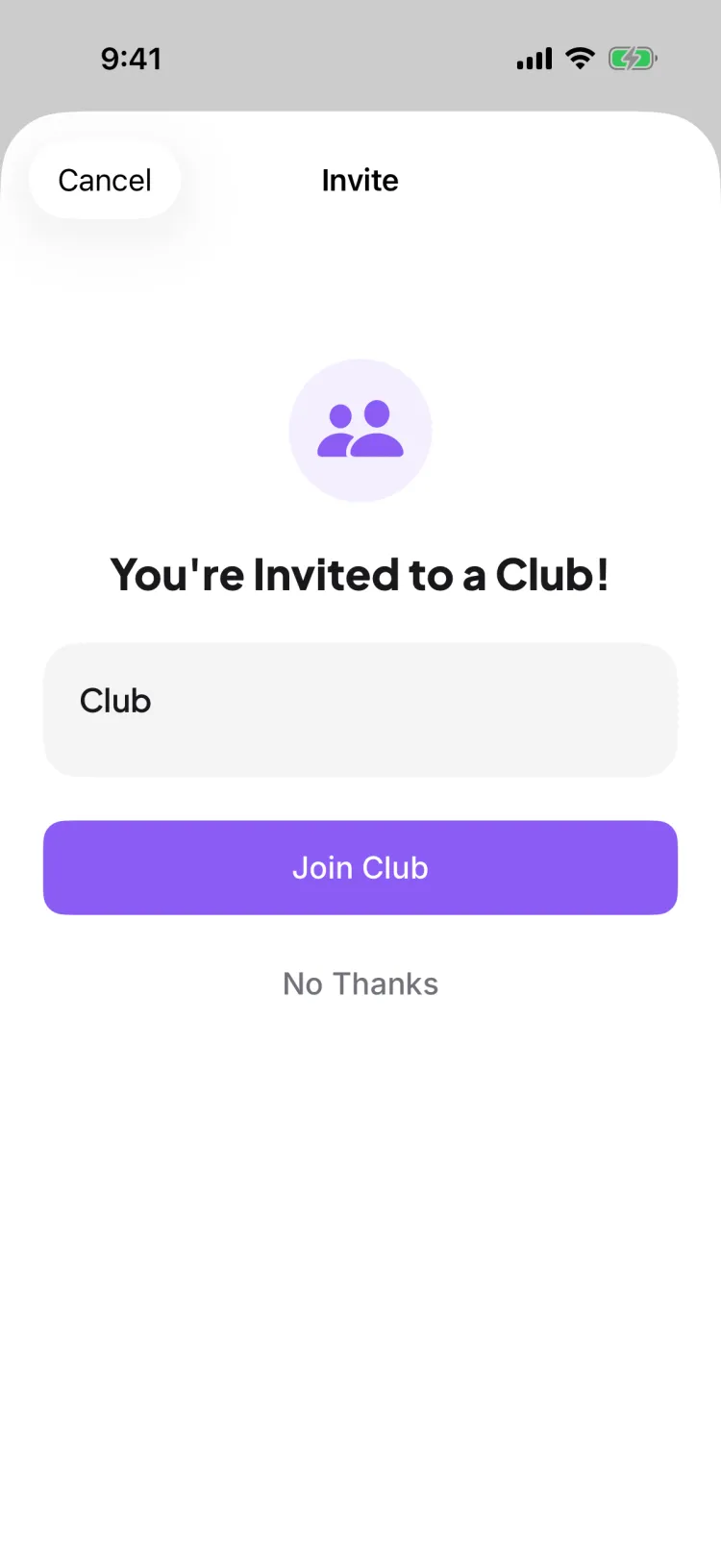
Open the club's invite — a link, a QR code, or a short join code. Most clubs let you join instantly; if the club's admins turned on approval, your request goes to them for a yes or no first. You can belong to several clubs at once and switch between them from the Clubs tab.
How long is a Pikel club invite code?
Five characters — letters and numbers. It isn't case-sensitive, so 'ab12x' and 'AB12X' both work. Type it into the invite-code field and tap Look Up (or Join Club) to pull up the club.
What happens if the club needs approval to join?
When a club has approval turned on, the button reads Request to Join instead of Join Club, and a banner tells you approval is required. When you tap it you'll see 'Request Sent' — your request goes to the club's admins, and you're in once one of them approves it.
Can I join more than one club?
Yes. There's no single-club limit — join as many as you like, and they all show up in your Clubs tab so you can hop between them. Each club keeps its own games, chat, and members.
My invite code says it's invalid or expired — what do I do?
Invite codes and links can expire, so an old one may stop working. Ask whoever invited you for a fresh link or code and try again — a new one resolves the same club in a couple of taps.
Do I need a DUPR account before I link?
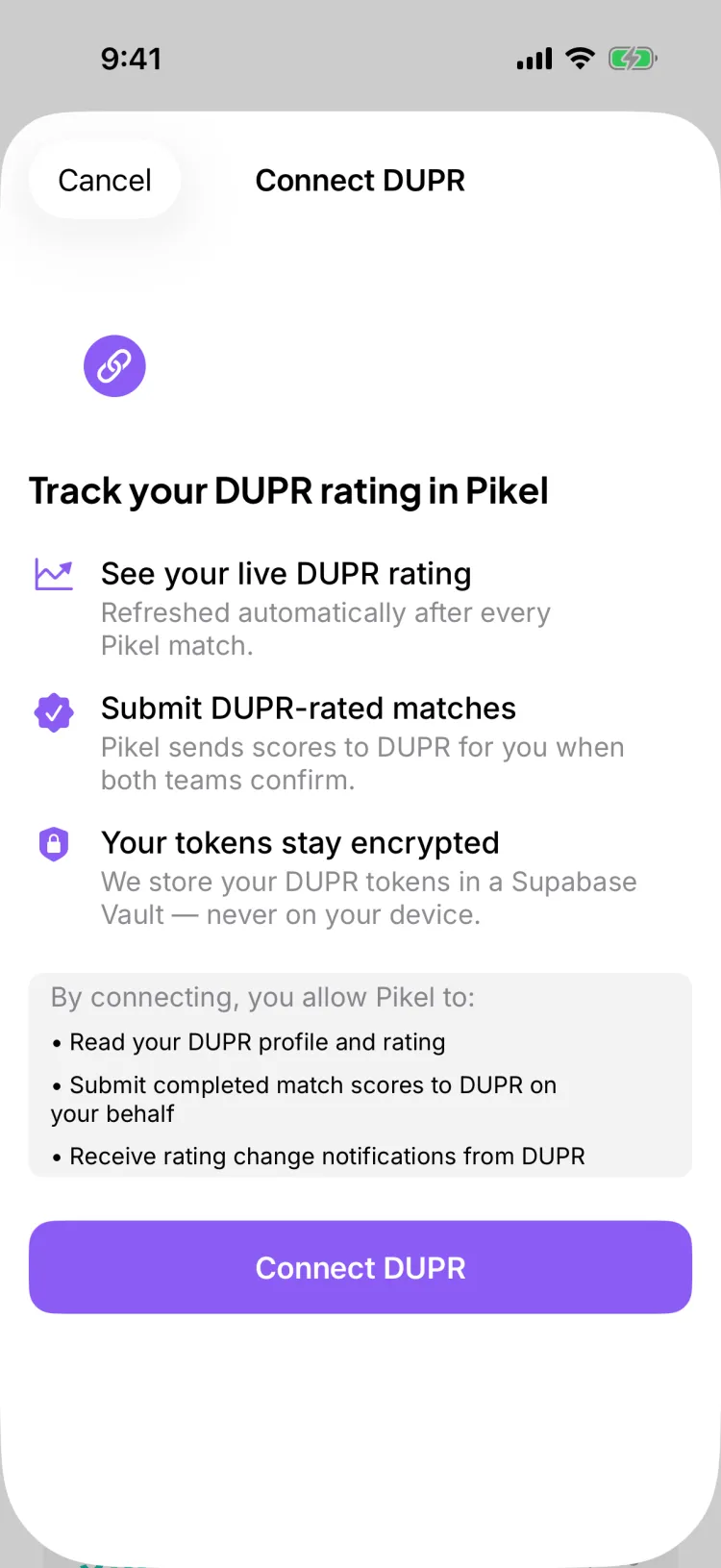
Yes, but it's free and quick. Creating a DUPR account costs nothing, and if you've ever played a sanctioned tournament or a club that reports scores, you may already have one. When you link in Pikel, you sign in to that DUPR account on DUPR's own screen — Pikel never sees your password.
Does linking upload my old games or change my rating?
No. Linking just connects your account. It doesn't push anything on its own — scores reach DUPR only when they're submitted from a rated game, after both teams confirm. Your rating still comes from your own match history; linking makes sure your Pikel games can count toward it going forward.
Where does my rating show up after I link?
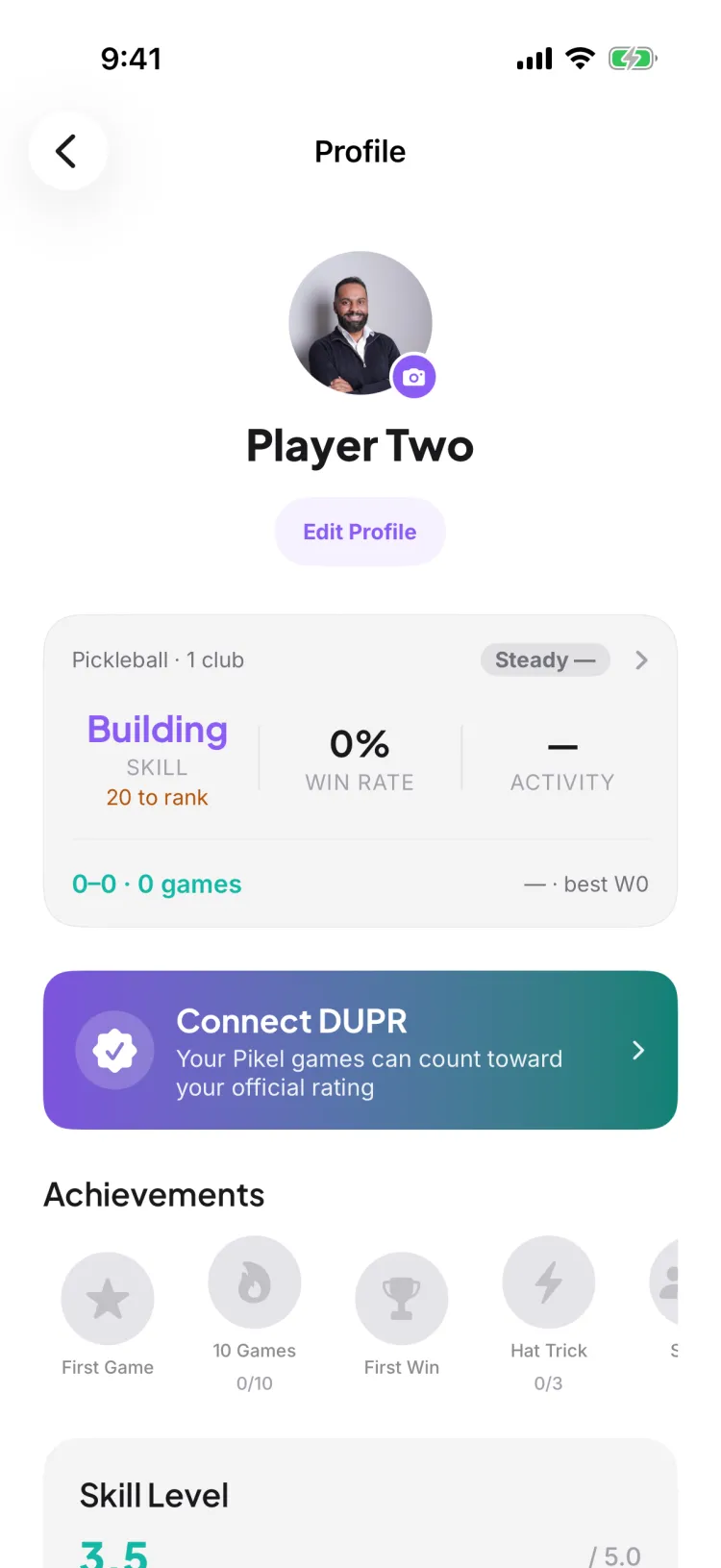
On your Profile. Once you're connected, the Connect DUPR banner flips to show your DUPR rating and when it last synced, with a Manage option. Tap Manage to refresh your rating, open your profile in DUPR, hide your rating from other players, or disconnect.
Can I hide my rating or disconnect later?
Yes. From the Manage screen you can hide your DUPR rating so other Pikel players see no number on your profile, or disconnect entirely. Disconnecting stops Pikel from submitting your matches, and you can reconnect anytime.
Is this the same as linking my club to DUPR?
No — they're two different things. This links your personal DUPR account from your Profile. Linking a club is a separate admin action in club settings. For a club's weekly games to count, the club needs to be linked and each player needs their own account linked.
How do I RSVP to a pickleball game?
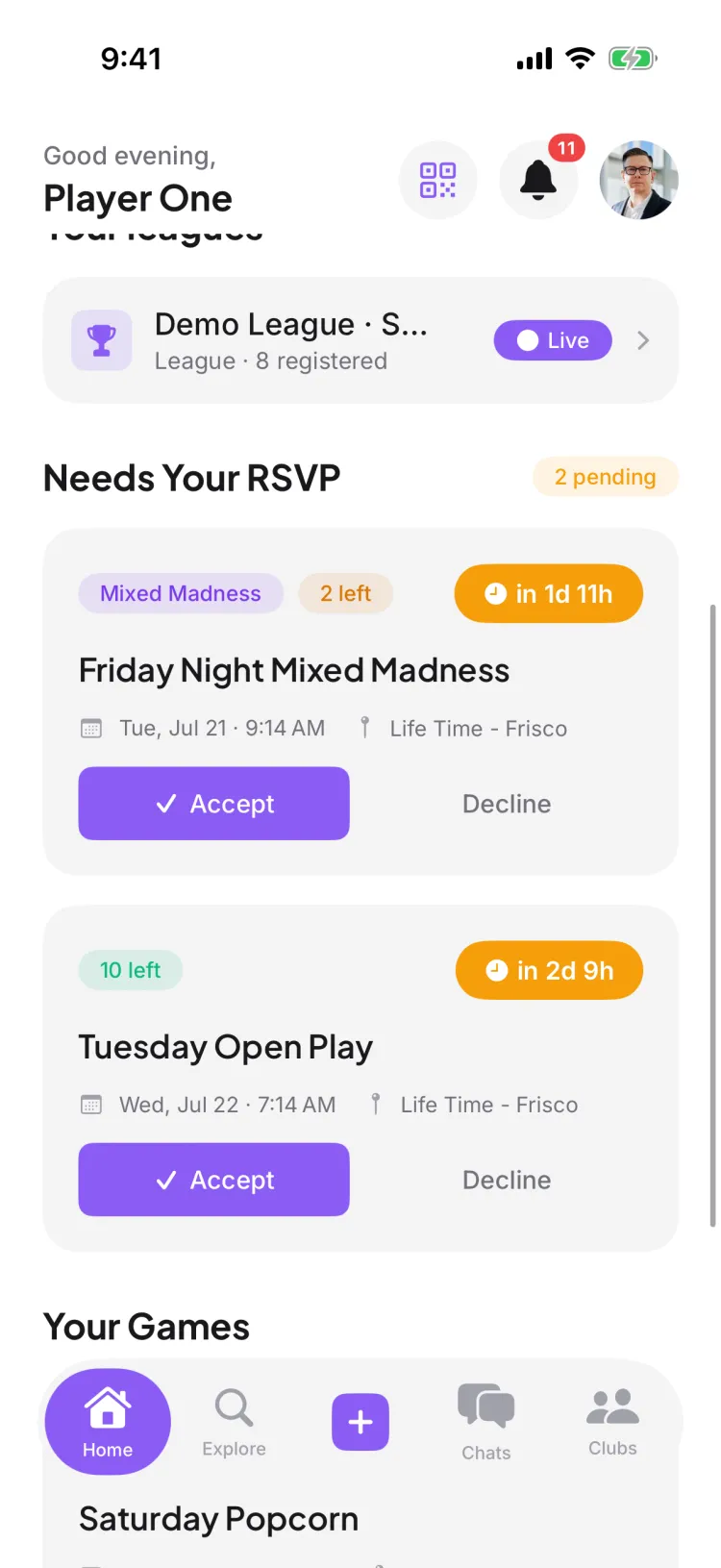
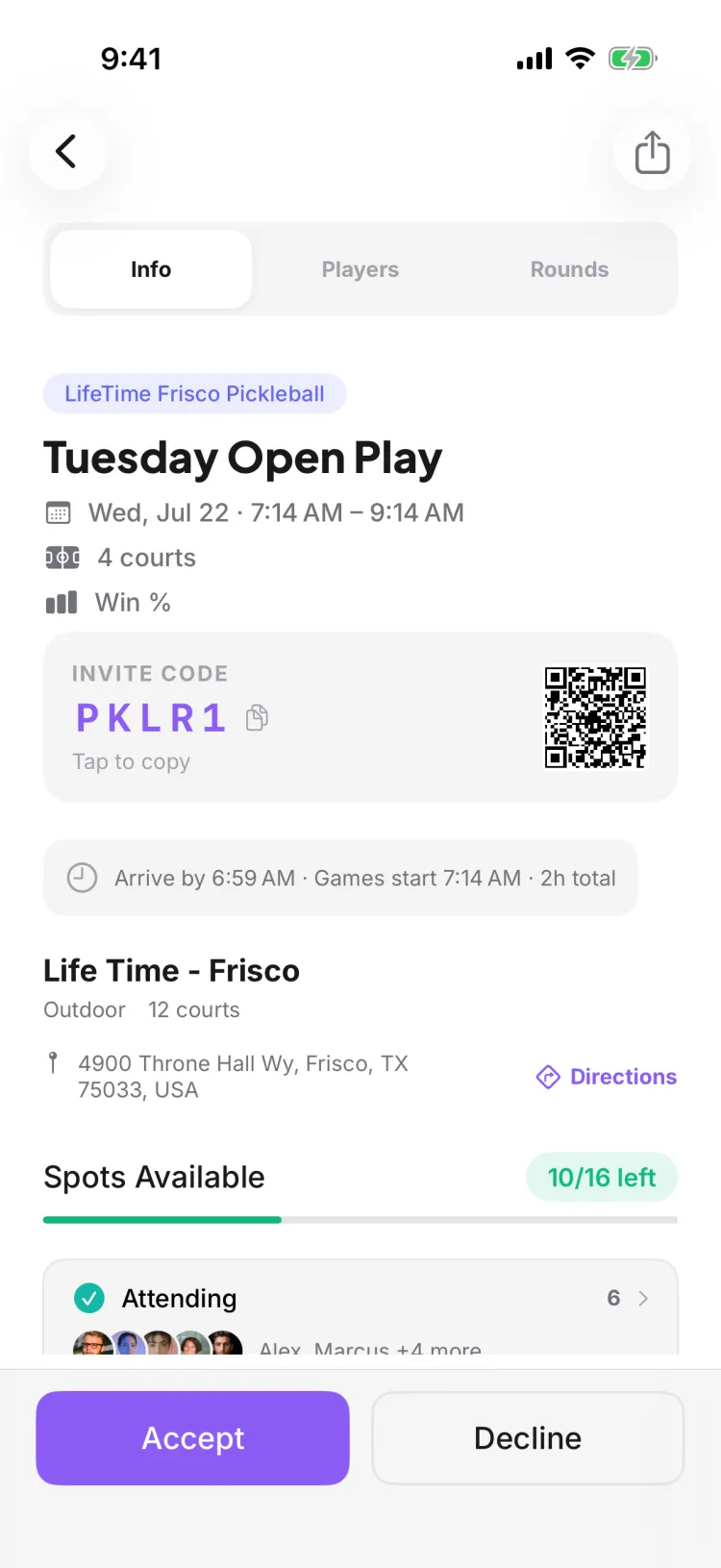
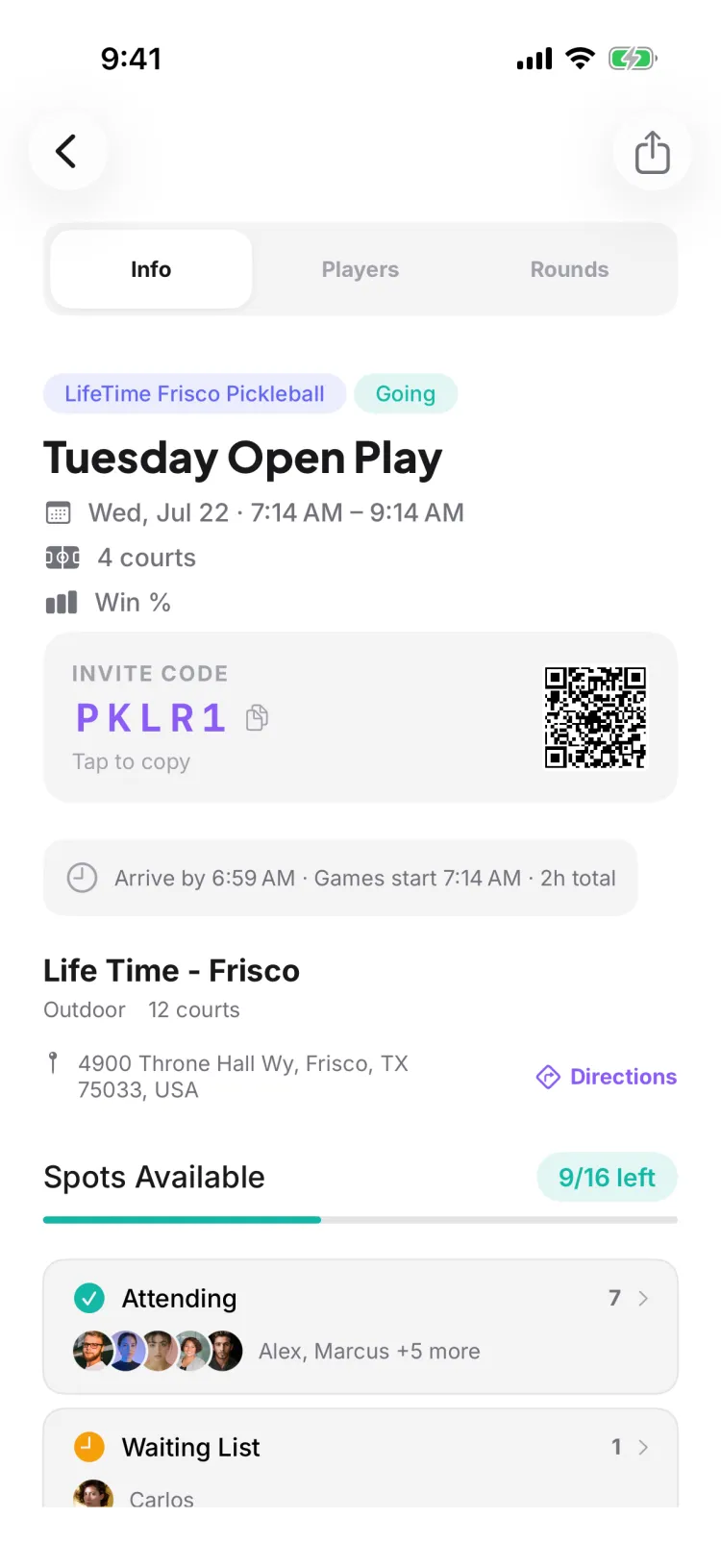
Open the game and tap Accept. Your spot locks in and the game flips to a teal "You're Going!" confirmation, so you always know you're in. You can also Accept straight from the "Needs Your RSVP" card on your Home screen without opening the game.
What happens if the game is already full?
You land on the waitlist instead of losing out. If someone who's in cancels, Pikel automatically promotes the next person on the waitlist and sends them a push notification — so a full game can still open up for you without you having to keep checking.
Can I change my mind after I RSVP?
Yes. If you're going, tap Cancel RSVP; if you're waitlisted, tap Leave Waitlist. Heads up: when you cancel a confirmed spot it's handed straight to the next person on the waitlist, so you may not get it back if the game has filled up.
What's the "RSVP opens in" countdown on some games?
Some games open RSVPs at a set time so everyone gets a fair shot at limited spots — instead of the seats going to whoever happens to be looking at their phone first. Until the window opens you'll see an "RSVP opens in" countdown. You can decline early, but you can't accept until the moment it opens for everyone.
Where do I find games that need my answer?
On your Home screen, under the "Needs Your RSVP" section. Every game you've been invited to but haven't answered yet sits there with Accept and Decline right on the card.
How do I create a Pikel account?
Download Pikel and sign up with Google, email and a password, or — on iPhone — Apple. For email sign-up, Pikel sends a verification code to confirm your address. The app is available in multiple languages, chosen during onboarding or later in Settings. Once you're in, join a club with an invite or find games near you to start playing.
How do I join a pickleball club?
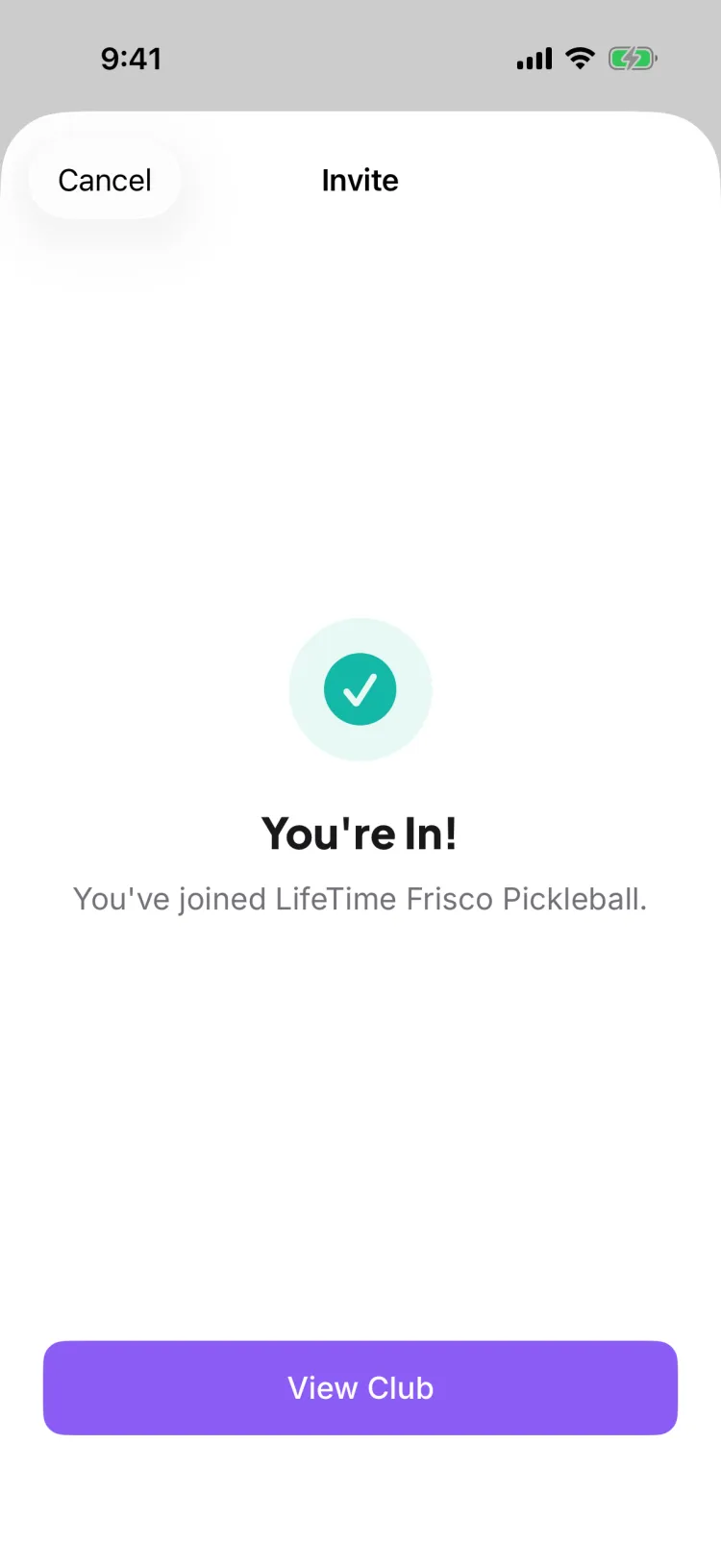
Open the club's invite — a link, a QR code, or a short join code all lead to the same join screen. A public club lets you join instantly; a private club sends your request to the admins' approval queue for a yes or no. You can belong to several clubs at once and switch between them.
How do I RSVP to my first game?
Open the game and tap to RSVP — accept to take a spot, or join the waitlist if it's already full. If someone cancels, the waitlist automatically promotes the next person and sends a push, so a full game can still open up for you. Some games show an "RSVP opens at" countdown, which is a fair window that gives everyone the same shot at a seat.
Someone added me as a guest — how do I claim my spot?
When an organizer adds you to a game as a guest, Pikel shows an "Is this you?" card so you can claim that spot and merge it into your own account, bringing your history and stats with it. Depending on the club's setting, claiming is either instant or sent to an admin to approve. Once you've claimed it, you're a full participant, not just a name on the list.
How do I link DUPR to my account?
You can link DUPR during onboarding or any time afterward from your Profile. Linking connects your DUPR account so your rated games can count toward your rating — it doesn't upload anything on its own; scores reach DUPR when they're submitted from the game. Creating a DUPR account is free.
How do I find pickleball courts and clubs near me?
Open Explore to see a map of courts, clubs, and open games near you, with lenses to filter down to what you want. Tap a venue for its details and, if you're set up to, start a game there. Explore is open to everyone — you don't need to be in a club to look around.
I forgot my password — how do I reset it?
On the email sign-in screen, tap 'Forgot password?' and Pikel emails a 6-digit reset code to your address. Enter the code to verify, then set a new password — it's a code, not a link, so you finish right inside the app. If you originally signed up with Apple or Google you don't have a Pikel password; just sign in with that provider instead.
How do I edit my profile — name, photo, and skill level?
Open the Profile tab and tap Edit Profile to change your display name and your skill self-rating (a 1.0–5.0 slider in 0.5 steps). You can tap your avatar to upload a new photo without even opening the sheet. If you've linked DUPR, your DUPR rating shows in place of the manual slider and the self-rating is locked — DUPR becomes your number.
How do I delete my Pikel account?
Open the Profile tab, scroll to the bottom, tap Delete Account, and confirm — this runs a full server-side cleanup that permanently removes your account and its data. If you signed in with Apple, Pikel first revokes your Sign in with Apple token as part of the deletion. You're signed out the moment it completes.

