Schedule & Run Games
Set up games and series, add walk-ins, and score match day from your phone.
How many players do I need to run a round robin?
You need at least 4 accepted players before Pikel will generate rounds — that's one full doubles court. There's no hard maximum: Popcorn scales from 4 to 32 players, and you add courts as the group grows.
How many players per court in doubles?
Four — two per side. That's the number Pikel uses when it builds matchups. A good planning rule is one court for every 4 to 5 players so nobody sits out more than a round.
What happens when I have an odd number of players?
Pikel rotates byes fairly, so the sit-outs spread evenly across the group instead of landing on the same people. You don't have to track it — the scheduler handles odd counts automatically.
Can I use my facility's real court numbers?
Yes. Enter custom court numbers as a range like "5-8", or a comma-separated list like "6, 8, 10" for scattered courts, and Pikel labels every court to match your physical layout, so players walk to the right net.
Someone showed up who never RSVP'd — how do I add them?
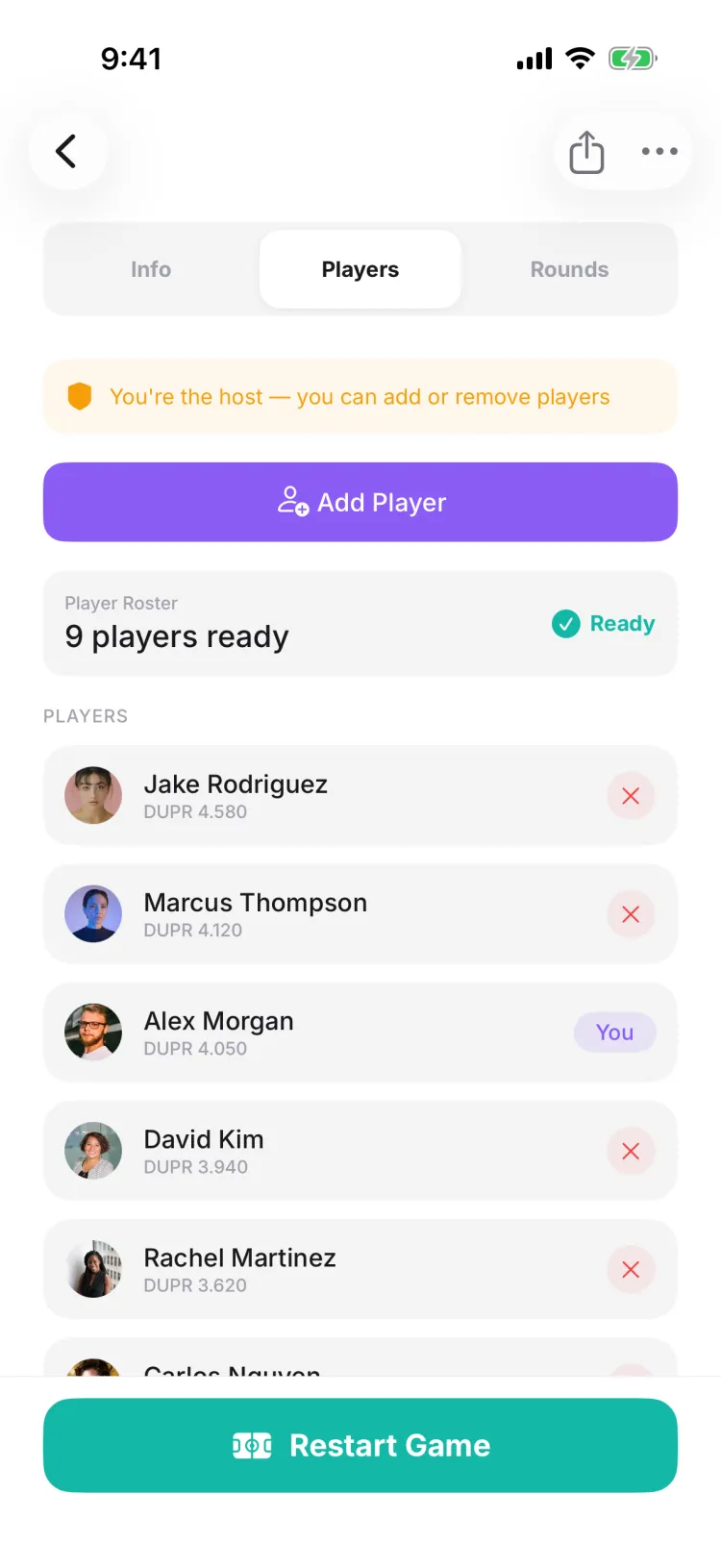
Open the game, go to the Players tab, and tap Add Player. Search their name and tap Add — they're seated on the spot. Only the game's host or a club admin can add players.
Can I add someone who isn't on Pikel yet?
Yes. Type their name in the Add Players search and tap “Add [name] as a guest” — no account needed, and they can claim the spot later. If you have their email, “Invite new player” sends them an email invite to join the game instead.
A whole group walked in — can I add them all at once?
Yes. “Bulk add guests” lets you paste a list of names — one per line, or separated by commas — and seats them together in one step.
I already generated rounds — will the walk-in be in the matchups?
Not automatically. After you add them, re-generate from the Players tab with Start Game (or Restart Game if rounds already exist) so they're woven into the rotation. Restarting rebuilds the schedule, which clears the existing rounds and scores.
What happens if the game is already full?
Adds beyond the player cap are waitlisted instead of seated. You'll see “Game is full — remove a selection to add others,” and a guest you add to a full game gets an amber “waitlisted” note rather than a green “Added.”
How do I cancel a game I created — like a rain-out?
Open the game, tap the 3-dot menu in the top corner, and choose Cancel Game, then confirm. The game flips to Cancelled and Pikel automatically pushes a 'Session Cancelled' notice to everyone who had RSVP'd Yes — you don't have to message anyone. Only the host and admins see the Cancel Game option.
Who can cancel a Pikel game?
The host who created it, plus session, club, and group admins and co-hosts. Regular players never see the Cancel Game button — the 3-dot menu only shows it to people with admin rights over the game. If the game isn't yours, ask whoever runs the club or group to call it off.
Does cancelling a game notify the players?
Yes, automatically. Everyone who had accepted (RSVP'd Yes) gets a 'Session Cancelled' push the moment you confirm. Waitlisted players don't get pinged — they never held a confirmed spot — and the game's original host (whoever created it) isn't sent the notice. One nuance: if a co-host or admin who had RSVP'd Yes cancels a game they didn't create, they'll still get the push. No group message needed.
How do I cancel just one game in a recurring series?
On a recurring game, tapping Cancel Game opens a Cancel Recurring Game sheet that asks the scope: This game only, This and future games, or Entire series. Pick 'This game only' to call off a single date — say a rained-out Tuesday — and the rest of the series stays exactly as it was.
What's the difference between Cancel Game and Finish game?
Cancel Game calls off a game that hasn't happened yet — a rain-out or a night nobody can make it. Finish game is a separate round-robin control on the Rounds tab that ends a game already in progress and locks the results. Different buttons for different jobs — cancelling never touches scores, because there aren't any yet.
How do I enter a score courtside?
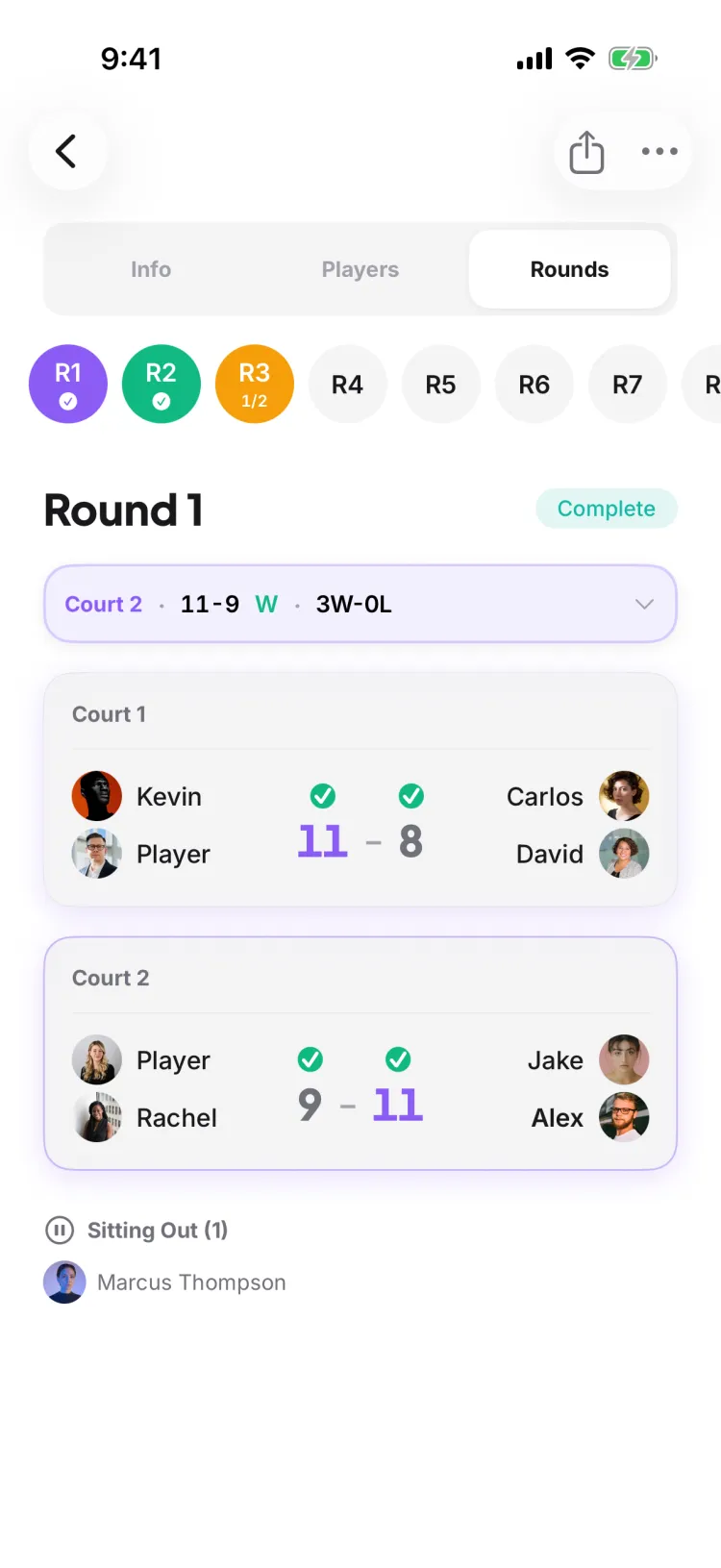
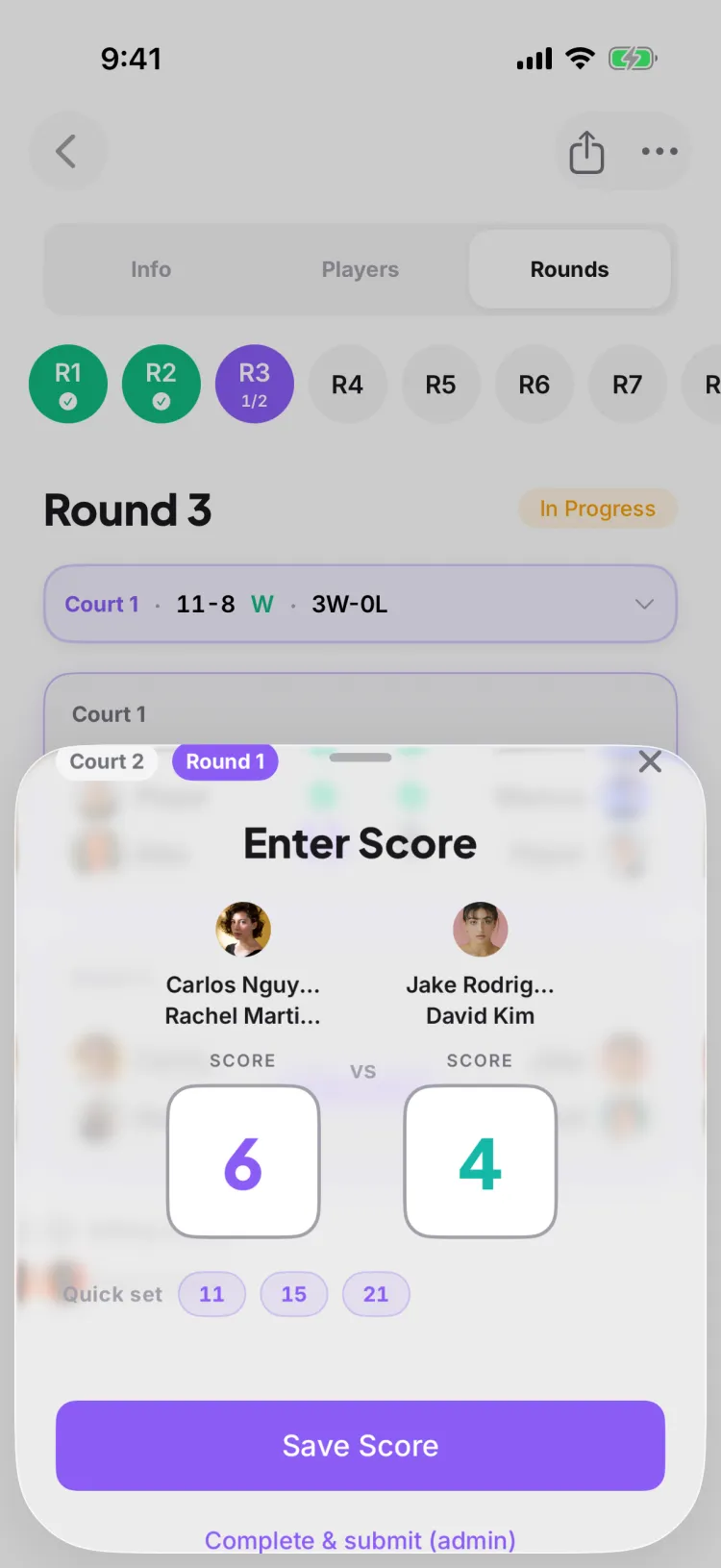
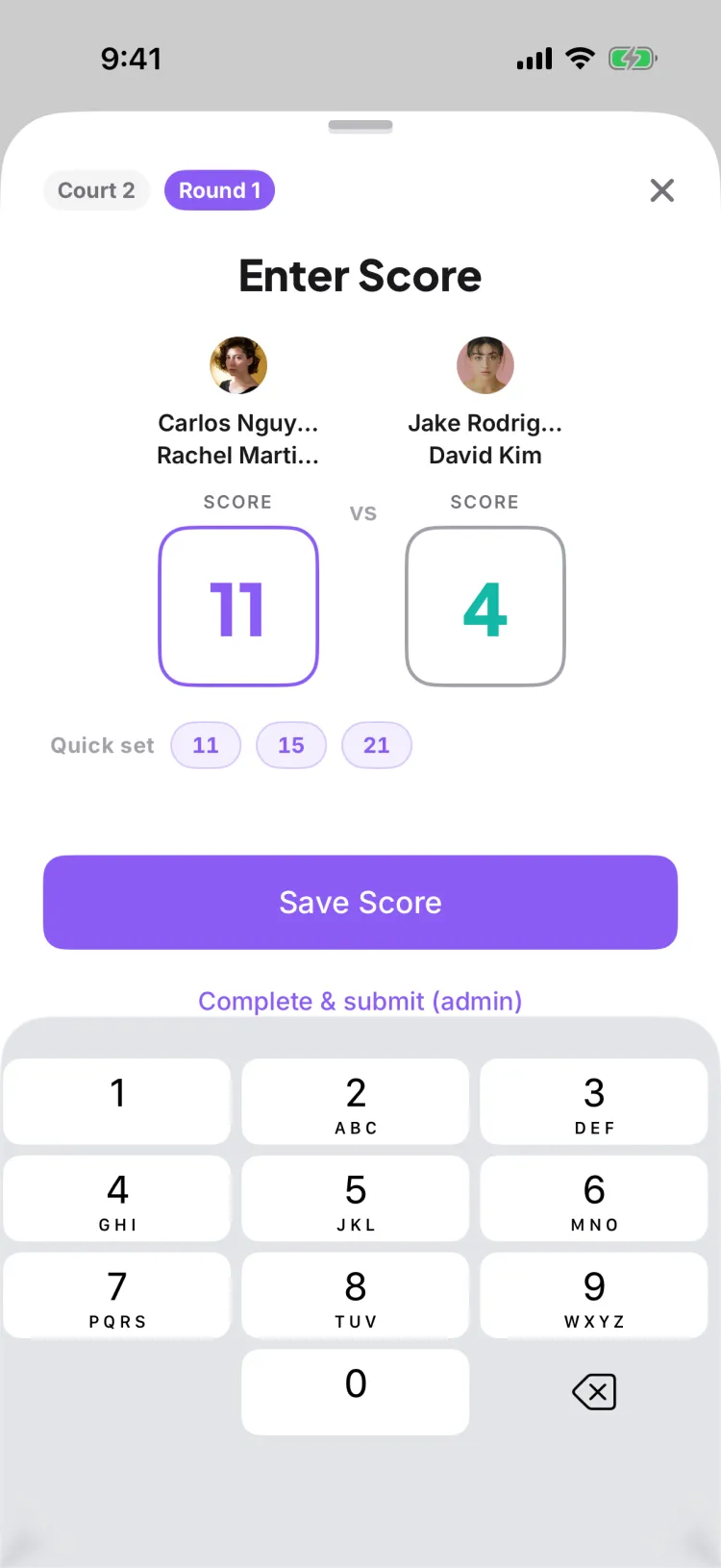
Open your game, swipe to the round you're playing, and tap the match sitting on your court. A score sheet slides up with a box for each team. Type both scores — or tap 11, 15, or 21 to fill the winner in one tap — then tap Save Score. That's the whole loop, and it takes a few seconds between games.
Who's allowed to enter the score?
It depends on the game's scoring mode. In a casual game, any player in the game — or the host — can enter and save the score, and it's recorded immediately. In a game that uses score confirmation (including DUPR games), each team's score is submitted by a player on that team so both sides sign off on the result.
Does the other team have to agree with the score?
Only if your game uses score confirmation. In that mode, after one team enters the score the match waits for the other team: they either confirm it, or type a different score if they saw it differently — and it bounces back and forth until both sides land on the same numbers. In a casual game there's no confirmation step; the score is final as soon as it's saved.
A score got entered wrong — can I fix it?
Yes. The host or organizer can reopen the completed match, and the sheet opens on Edit Score so you can type the correct numbers and re-save. The standings recalculate the moment the correction lands.
Do the standings update as scores come in?
Automatically. Every score you save recomputes that game's standings on the spot — there's a Standings page at the end of the round pager that's always current, so nobody's tallying wins on paper.
How many players do I need to run a round robin?
You need at least 4 accepted players before Pikel will generate rounds. The default Popcorn format scales all the way to 32 players, and odd numbers are handled automatically — byes rotate fairly so nobody sits out twice in a row.
Do I still need a paper chart or a spreadsheet?
No. Pikel generates every round, every matchup, and the court assignments for you, then updates the standings live as scores come in. That's the whole point — one app instead of GroupMe, a spreadsheet, and three other tools.
Can I charge players an entry fee for a round robin?
Not for a standard round robin — those are free to run. Entry fees, promo codes, and payouts live on the tournament and league side of Pikel, where players register and pay through Stripe checkout.
Someone showed up who never RSVP'd — can I still add them?
Yes. On game day you can add a club member or a guest on the spot, then re-generate the rounds so they're worked into the matchups. Nobody gets turned away at the net.
What if a score gets entered wrong?
The host can fix it. Reopen the match in the Rounds tab and re-enter the correct score — standings recalculate instantly. A 5-second Undo banner also pops up right after the host re-saves a completed match.
What is open play in pickleball?
Open play — also called drop-in — is casual, come-as-you-are pickleball. There's no fixed roster; players show up, get mixed into games, rotate partners and opponents, and everyone plays. It's the backbone of most clubs' weekly schedules.
Does Pikel have an open play mode?
A dedicated open-play mode is on the way. Today, the way to run drop-in in Pikel is a Popcorn round robin — new partner every round, everyone mixes, and you can add walk-ins on the spot. It gives you the open-play feel with a fair, automatic rotation.
How do I handle people who show up without RSVPing?
Add them on the spot. Pikel lets you add a member — or a guest who isn't in the app yet — right from the game, then re-generate rounds so they're folded into the rotation. Walk-ins are the norm for drop-in, and the app expects them.
How is open play different from a tournament?
Open play is social and continuous — you rotate through partners and opponents with no elimination. A tournament has a bracket, seeding, and a winner. For drop-in, you want the round robin path below, not a tournament.
How do I set up a recurring game series?
When you create a game, turn on Make Recurring and pick a cadence — Weekly, Every 2 Weeks, or Monthly. Pikel then auto-creates each game on that schedule, so your regular game is on repeat instead of being rebuilt every week.
Can I run a recurring series without a club?
Yes. A series can be personal — hosted by just you, with no club or group attached. Any signed-in host can create one. Setting up a recurring series inside a club or group, on the other hand, requires being an admin of that club or group.
What repeat schedules can I choose?
Weekly, every two weeks, or monthly. For a weekly series you can pick more than one day — say Tuesday and Thursday — and Pikel schedules both. A monthly series repeats on a single day.
How do I change or stop a recurring series?
Open any game in the series. From there you pick a scope — 'This game only', 'This and future games', or 'Entire series' — so you can change or cancel a single date, everything from that date forward, or the whole run in one go.
Which round robin format should I pick?
Start with Popcorn — it's the default, mixes everyone with a new partner every round, and scales from 4 to 32 players. Drop to Scramble for smaller groups, switch to Shuffle if players want to keep a fixed partner, and use Mixed Madness for all-night mixed doubles.
How many formats can I run in Pikel right now?
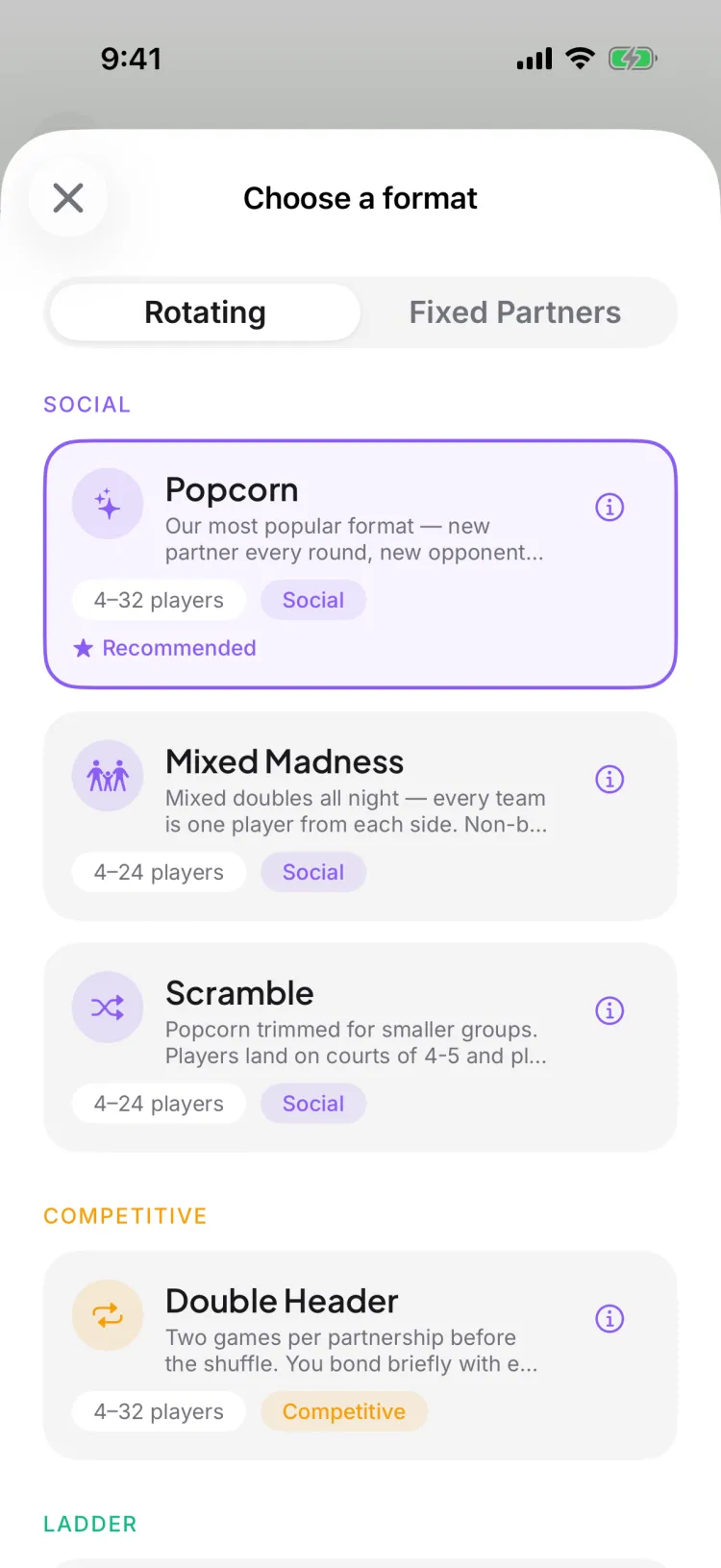
Six are ready to run today: Popcorn, Scramble, Mixed Madness, Double Header, Shuffle, and King of the Court. Five more — Pool Play, Cream of the Crop, Up & Down the River, Claim the Throne, and Gauntlet — are visible in the picker as coming soon, with a Notify Me button so you'll hear when they ship.
What's the difference between a rotating-partner and a fixed-partner format?
In rotating formats (Popcorn, Scramble, Mixed Madness, Double Header) you get a new partner as play goes on, and your standing is your own record. In fixed-partner Shuffle you keep the same partner all session and your record is your pair's.
Can I switch formats after players have RSVP'd?
Yes — the format is set on the game, not on the players, so you can change it before you generate the rounds. Once rounds are generated, re-generating with a new format rebuilds the matchups cleanly.
What's the fastest way to start a game?
The Quick Game one-tap shortcut starts a Shuffle game — fixed partners, rotating opponents — so you can get four people on a court without walking through every setting.
How do I make a round robin schedule without a spreadsheet?
Add your players, then tap Start Game. Pikel builds the entire schedule — every round, every matchup, every court assignment — in one step. There's no chart to draw and no math to check.
How many players do I need before I can generate a schedule?
At least four accepted players — one full doubles court. Below that there aren't enough people for a game. Above it, Pikel pairs everyone and rotates byes fairly for odd numbers.
Can I change the schedule after I generate it?
Yes. Re-generating replaces the previous rounds with a fresh schedule, which is how you fold in walk-ins or fix a roster change. You can also add a round, delete a round, or finish the game early from the Rounds tab.
How do players see their matchups?
Live, on their own phones. Each round shows every player their court and partner, and the schedule updates in real time as scores come in — so nobody's squinting at a printout taped to the fence.
How do I set up a recurring game series?
When you create a game you can make it a recurring series — weekly, biweekly, or monthly — so your regular game is on repeat instead of being rebuilt each week. You can even run a personal series without a club. A standing series is one of the best ways to keep players coming back.
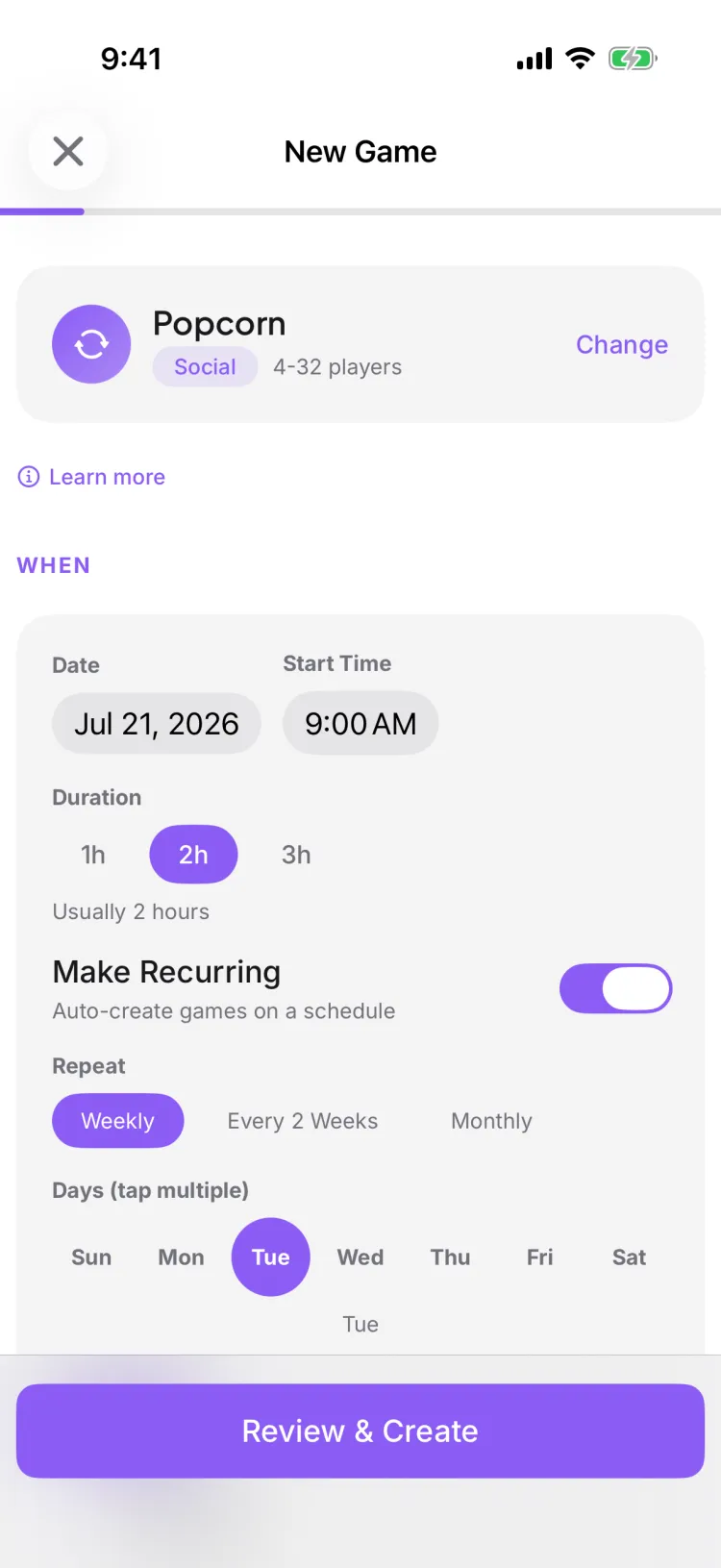
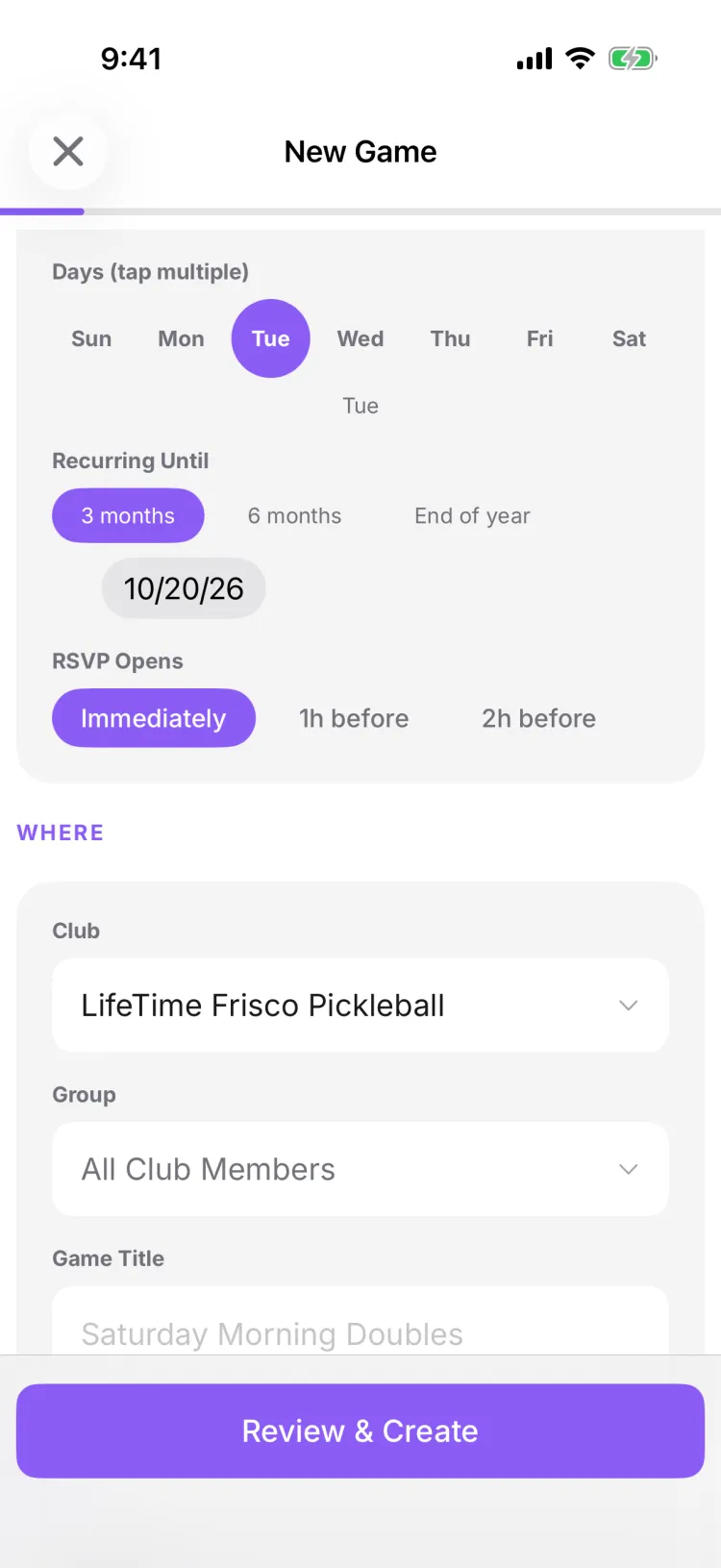
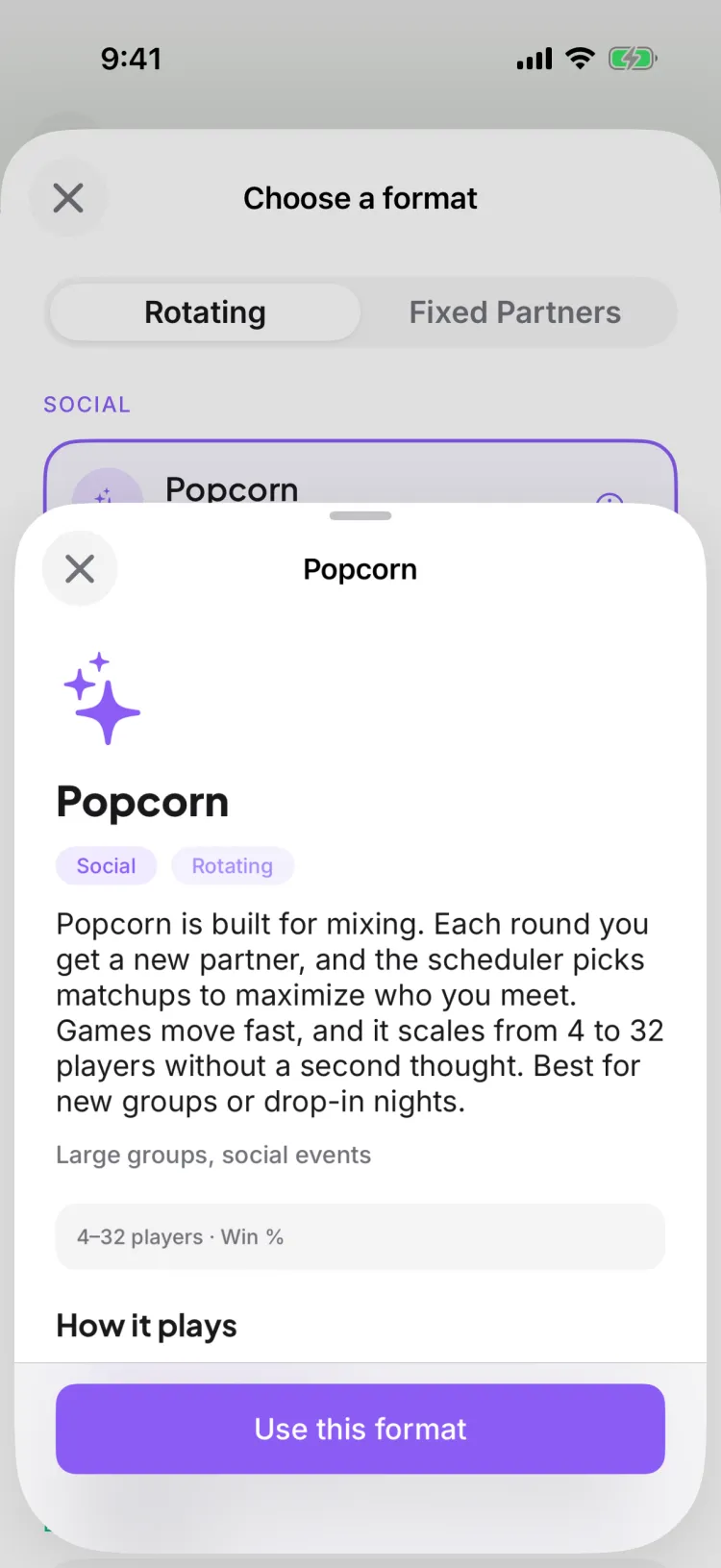
Which round robin format should I pick?
Pikel has six round-robin formats live in the picker. Popcorn — a new partner every round — is the friendly default for a mixed social night. Pick Scramble for small or odd-numbered groups, Mixed Madness for mixed doubles all night, Double Header for a couple of games with each partner, Shuffle to keep your regular partner, and King of the Court for a weekly ladder. When you create a game, tap the format row to switch, and tap any format's ⓘ to see how it plays.
How do I enter scores courtside?
On game day, open the match and enter the score from the scoresheet — entry is claim-locked so two people can't edit the same match at once. Players on that match can confirm or disagree with the score you record. Standings recalculate live as scores come in.
Someone showed up who never RSVP'd — how do I add a walk-in or guest?
You can add a walk-in on the spot — either a club member or a guest who isn't in the app yet — right from the game. If you've already generated rounds, re-generate so the new player is worked into the matchups. You can also bulk-add a whole list of guests at once.

How do I cancel a game I created (e.g. a rain-out)?
As the game's admin, open it, tap the 3-dot menu, and choose Cancel Game — for a recurring series Pikel asks whether to cancel just this occurrence or the whole series. Cancelling flips the game to Cancelled and automatically notifies everyone who had accepted, so you don't have to message them yourself. (That's different from 'Finish game,' which ends a game already in progress.)

