For Players
Scoring, open games, chats, and how the fair RSVP window works.
How do I cancel my RSVP if I can't make it?
Open the game and tap Cancel RSVP to give up your spot — you can RSVP again later if your plans change. If the game had a waitlist, cancelling automatically promotes the next person in line and sends them a notification, so a full game still opens up for someone else.
What happens to my spot when I cancel?
If the game had a waitlist, your spot goes straight to the next person in line — Pikel promotes them the moment you cancel and sends them a notification, then renumbers everyone else up a place. If there's no waitlist, the seat simply frees up for someone new to grab.
Can I RSVP again after I cancel?
Yes. Cancelling just releases your spot — the game flips back to Accept and Decline, so you can accept again if your plans change. One caveat: if the game filled up while you were out, accepting again puts you on the waitlist instead of straight back in, so you may not get that exact seat back.
How do I get off a game's waitlist?
Open the game and tap Leave Waitlist. You drop off the list and everyone behind you moves up a spot. It's the same cancel action — Pikel just labels it Leave Waitlist while you're waitlisted rather than confirmed.
Does Pikel ask me to confirm before cancelling?
Yes. Tapping Cancel RSVP pops a "Cancel RSVP?" confirmation. If the game has a waitlist, it reminds you the spot goes to the next person in line. Tap Keep My Spot to back out, or confirm to cancel — same on iOS and Android.
Is deleting my Pikel account reversible?
No. There's no grace period, no scheduled-deletion window, and no undo. The moment you confirm, Pikel runs a full server-side cleanup, deletes your account, and signs you out. If you want to come back later, you'd start over with a brand-new account — none of your old clubs, games, or stats carry over.
What data gets removed when I delete my account?
Everything tied to you: your profile, your club and group memberships, your RSVPs and attendance history, your chat messages, your match results and standings, your notifications, and the device tokens used for push. It's a cascading cleanup, so it doesn't leave stray records behind.
I signed in with Apple — does deleting also disconnect Apple?
Yes, on iPhone. Before it deletes anything, Pikel revokes your Sign in with Apple token so the app stops appearing under Settings → Your Name → Sign in with Apple on your iPhone. It's a best-effort step — if it can't reach Apple for any reason, the deletion still goes through so you're never left half-deleted.
Can I download my data before I delete?
On iPhone, yes — there's a Download My Data option right above the Delete Account button; tap it to export a copy first, then come back and delete. Export is currently iPhone-only, so on Android grab any screenshots you want before deleting. Once the account is gone, the export is your only record.
I just want a break — do I have to delete my account?
No, and you probably shouldn't. Deleting is permanent. If you only want out of one club, leave the club. If the notifications are too much, mute a chat or turn off reminders. If you just want to step away, sign out — your account waits for you. Save Delete Account for when you truly want everything erased.
What can I actually edit on my Pikel profile?
Three things live on the Edit Profile screen: your display name, your profile photo, and your skill self-rating (a 1.0–5.0 slider that moves in 0.5 steps). Your email and play style are shown there too, but they're read-only — greyed out so you can see them without changing them. There's no bio field in Pikel.
Can I change my email or phone number here?
No. Your email shows on the Edit Profile screen but it isn't editable — it comes straight from the account you signed in with (Apple, Google, or email), so you change it by managing that login. Phone isn't shown on this screen at all. Everything else — name, photo, skill — you can change right here.
Why is my skill slider locked?
Because you've linked DUPR. Once your DUPR is connected, your official rating takes over: it shows where the slider used to be (in teal on iPhone, purple on Android), with the note 'Synced from DUPR. Manual rating is locked while linked.' DUPR becomes your number, so there's nothing to drag. Unlink DUPR and the manual slider comes back.
How do I just change my profile photo without editing everything else?
You don't have to open Edit Profile at all. On the Profile tab, tap the little camera badge on your avatar and pick a photo — it uploads on the spot. Inside Edit Profile you get the same camera badge, plus a Remove Photo button if you want to go back to your initials.
Where do I set my gender?
Gender isn't on the Edit Profile screen — it's its own row further down your Profile, so game organizers can seed mixed-doubles correctly. Tap that row, choose an option, and it saves on its own. Leaving it unset is fine; 'no preference' is a valid state.
How do I find open games near me?
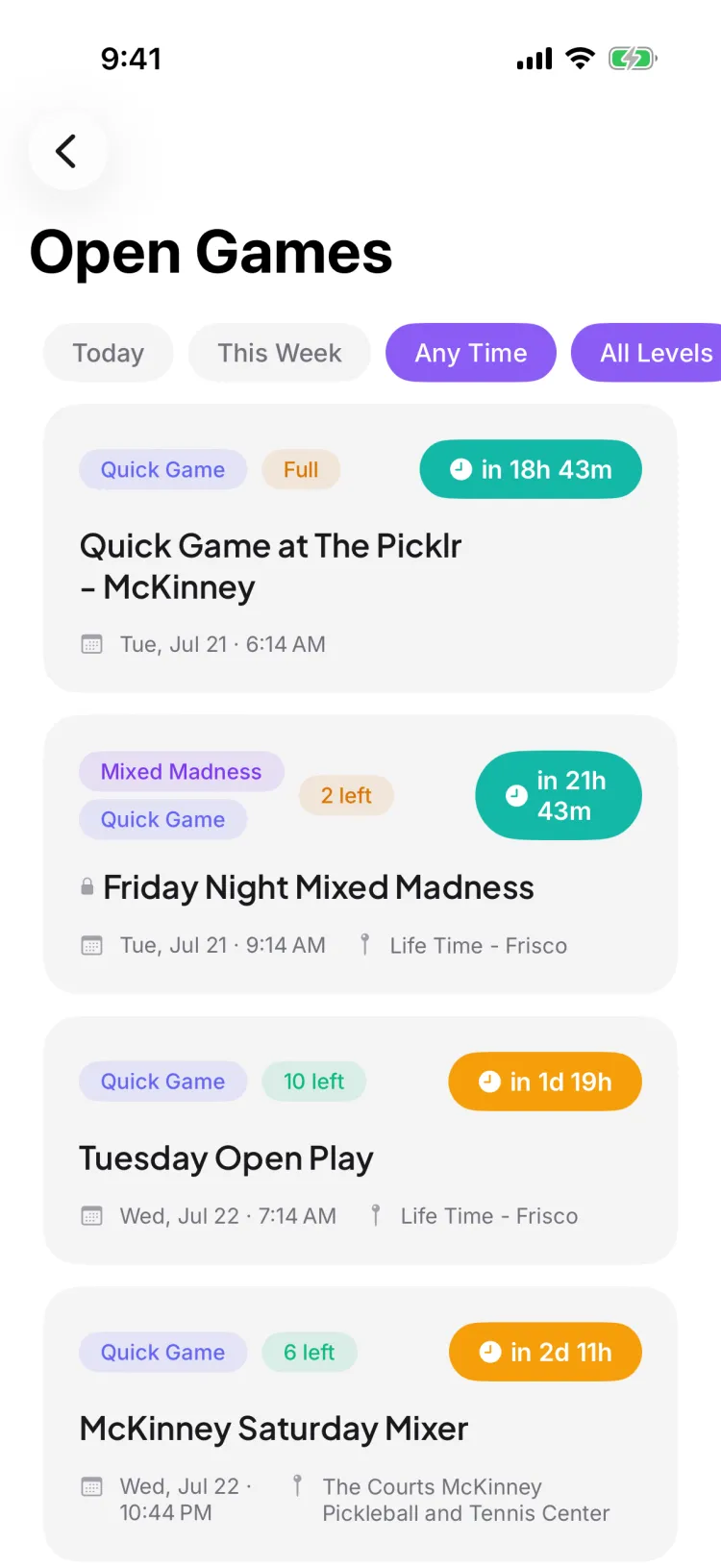
Open the Explore tab (the magnifying-glass tab in the bottom bar). The Open Games card sits near the top with a couple of upcoming games; tap 'See all' to open the full list. From there you can filter by time and skill level and tap any public game to see the details and RSVP.
Can I join an open game if I'm not a member of the club?
Yes — that's the point of open games. Public games are open to everyone, so you can tap through and RSVP even if you don't belong to the host's club. Private games still appear in Explore as info-only rows with a lock icon, so you can see one exists but can't join it from here.
What do the time and skill filters do?
On the full Open Games list, the time chips are Today, This Week, and Any Time, and the skill chips are All Levels, 3.0+, 3.5+, and 4.0+. Pick a combination to narrow the list to games that fit your schedule and level; to clear, tap the default Any Time and All Levels chips (or, if a filter leaves no games, the empty state's 'Show all games' button).
The game is full — can I still get in?
You can join the waitlist. If someone who's confirmed cancels, Pikel automatically promotes the next person on the waitlist into the open spot and lets them know — no need to keep refreshing.
Can I watch a public game without playing in it?
Yes — if the game is already full. Opening a full public game's shared link gives you a Spectate option that opens it read-only so you can follow along. If the game still has room, the link (and tapping it in the Explore list) opens the normal detail view where you can RSVP.
I'm getting too many notifications — how do I turn them off?
Open your Notification Settings and stay on the Global tab. Under YOUR EVENTS, switch off Game Reminders to stop the before-game pings; under GENERAL, switch off Score Updates and Club Messages to quiet round-robin scores and club chat. Everything saves the moment you flip a switch — there's no Save button. If you want to silence just one club instead of everything, use the Per Club tab.
Where do I find my notification settings?
Two ways. On iOS, open Notifications (the bell on your Home screen) and tap the gear in the top corner. On both iOS and Android you can also open Profile and tap Notifications. Both land on the same Notification Settings screen with its Global and Per Club tabs.
What's the difference between the toggles in the app and my phone's settings?
Your phone's system permission is the master switch — if it's off, Pikel can't send you anything. The GENERAL section shows Push Notifications with its live status; tap it to jump straight to your phone's Settings. The other toggles (Score Updates, Club Messages, Game Reminders, RSVP Updates) are Pikel's own filters that decide which kinds of pushes you get once the master switch is on.
Can I keep one club loud and mute another?
Yes. On the Notification Settings screen, tap the Per Club tab. It lists every club you're in, each marked "Using global settings" until you change it. Tap a club to override your global defaults just for that one — so your competitive club stays loud while a casual one goes quiet.
How do I silence a single chat without touching everything else?
Open the conversation and tap its name at the top to open Chat Info. It has a Notifications control (All / Mentions / Off) and a 'Mute for…' row — tap 'Mute for…' and choose 1 hour, 8 hours, 1 day, or until you turn it back on. This only affects that one conversation — your game reminders and RSVP updates keep coming.
I forgot my password — how do I reset it?
On the email sign-in screen, type your email into the field, then tap 'Forgot password?'. Pikel emails a 6-digit reset code to that address. Enter the code to verify, then set a new password — it's a code, not a link, so you finish the whole thing right inside the app without leaving to your inbox and back.
Is the reset a link or a code?
A code. Pikel sends a 6-digit numeric code, not a clickable magic link. You type the six digits into the 'Reset your password' screen and it checks itself the moment the last digit lands — then it takes you straight to 'Create a new password'. Nothing to open in a browser.
I signed up with Apple or Google — how do I reset my password?
You don't have one to reset. If you tapped Continue with Apple or Continue with Google when you joined, you never set a Pikel password — that provider signs you in. Just tap the same Continue with Apple or Continue with Google button on the welcome screen and you're back in. Forgot password? only applies to email-and-password accounts.
The code didn't arrive — what now?
Check your spam or junk folder first; reset emails sometimes land there. On the code screen there's a 60-second countdown, after which a Resend email button appears — tap it for a fresh code. If the email itself was wrong, tap 'Wrong email?' to go back and fix it. Codes also expire after about ten minutes, so if you've been sitting on one, request a new one.
What are the rules for the new password?
It needs to be at least 8 characters, and it can't be one that's turned up in a known data breach — Pikel checks against public breach lists and will ask you to pick a different one if yours is compromised. It also has to be different from your old password. The two fields have to match before the Update password button turns on.
Does resetting my password log me out on my other devices?
Yes — on purpose. When you set the new password, Pikel signs you in on the device you're holding and signs you out everywhere else. That's the safety net: if someone else was in your account, a reset quietly kicks them out. You'll just sign back in on your other phone or tablet with the new password.
What kinds of chats does Pikel have?
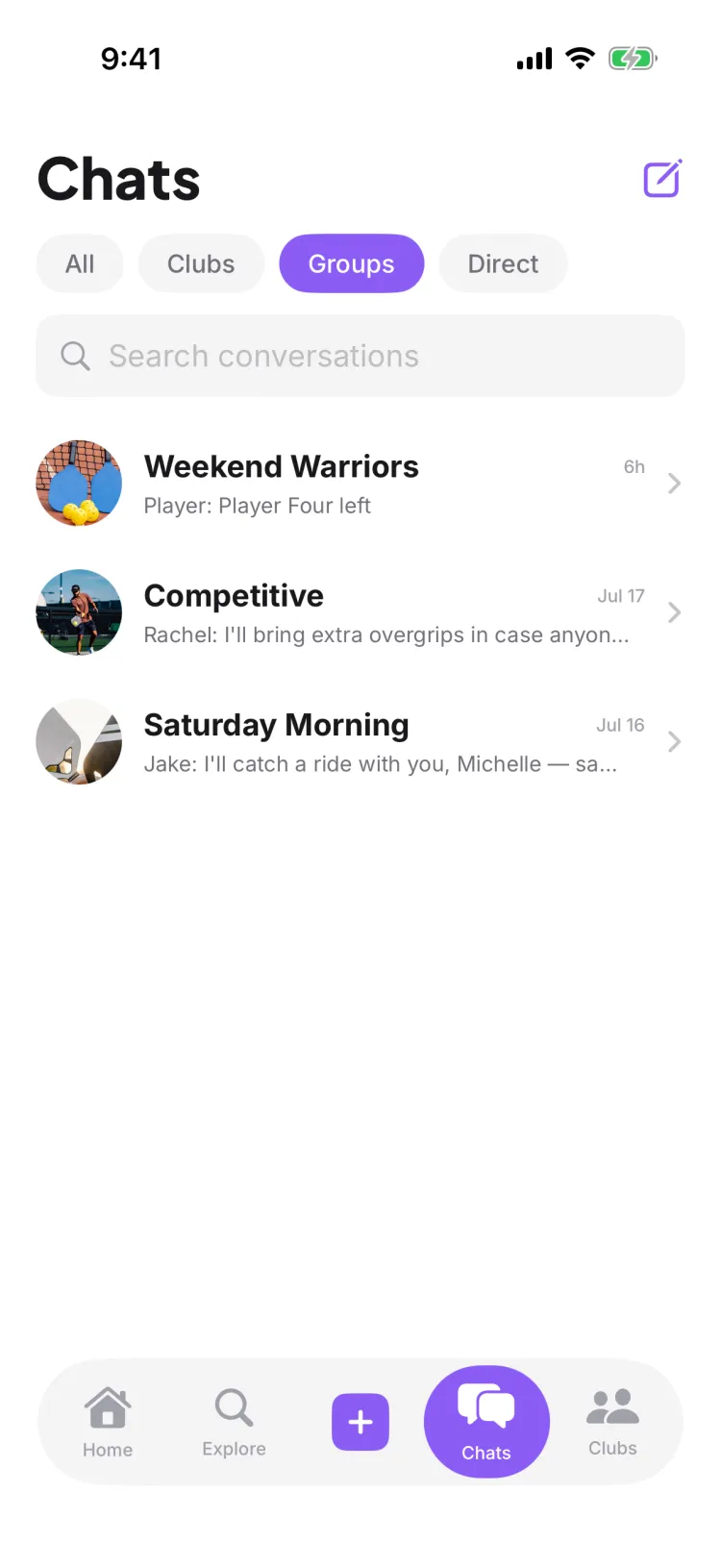
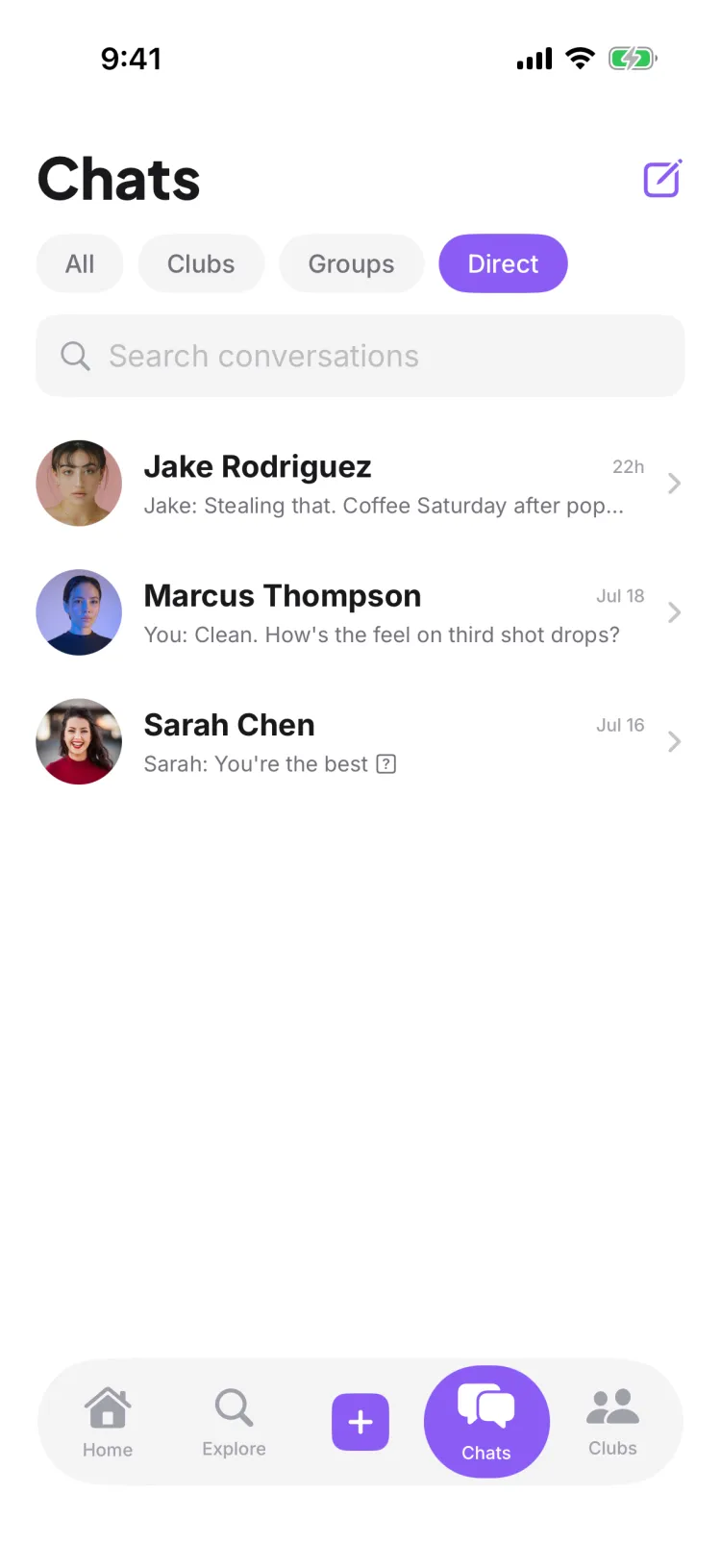
Three. Club chats (one per club you're in), group chats (for groups inside a club, plus any group chat you start with a few people), and direct messages one-to-one. The Chats tab sorts them all with an All / Clubs / Groups / Direct filter bar so you can jump straight to the kind you want.
Where do I talk about a specific game?
In that game's comments, not a chat. Game-specific conversation lives on the game itself — Pikel deliberately keeps session talk out of the Chats tab so your club and group chats don't fill up with logistics for one match. Use the chat for the crew, use comments for the game.
Can I react to messages, reply, and send photos?
Yes, on both iOS and Android. You can add an emoji reaction to any message, reply to a specific message so it quotes the original, send a photo from your library, and @mention someone to pull them in. Club and group admins and owners also get an @everyone mention.
How do I quiet a chat that won't stop buzzing?
Mute it. Each conversation has notification levels — All, Mentions only, or Off — and you can also mute for a set time: one hour, eight hours, a day, or until you turn it back on. Mentions-only is the sweet spot for a busy club chat: silence unless someone @mentions you.
Who can I send a direct message to?
Search for anyone by name from the compose screen and start a one-to-one DM, or pick a few people and a name to start a group chat. Guests and anyone you've blocked don't show up in the search results.
How many points do you play to in pickleball?
Standard games go to 11 points, and you must win by 2. Some tournaments play to 15 or 21, still win by 2, but 11 is the norm for rec and league play.
Can you score a point when you're not serving?
In traditional (side-out) scoring — the standard for most rec play — no. Only the serving side can score. If the receiving team wins the rally, they don't get a point; they earn the serve. Win the rally on your serve and you score.
Why is the pickleball score called with three numbers?
In doubles, the call is your team's score, then the other team's score, then the server number — 1 or 2. So "5-3-2" means your team has 5, the other team has 3, and you're the second server. The third number tracks which partner is serving before the side-out.
What is the two-bounce rule?
After the serve, the ball must bounce once on the receiving side and once on the serving side before anyone can hit it out of the air. Only after those two bounces can players volley. It keeps the serving team from rushing the net on the first shot.
What is the kitchen in pickleball?
The kitchen is the non-volley zone — a 7-foot area on each side of the net. You can't hit the ball out of the air (volley) while standing in it or touching its line. You can step in to play a ball that has bounced; you just can't volley from there.
Why can't I RSVP to this game yet?
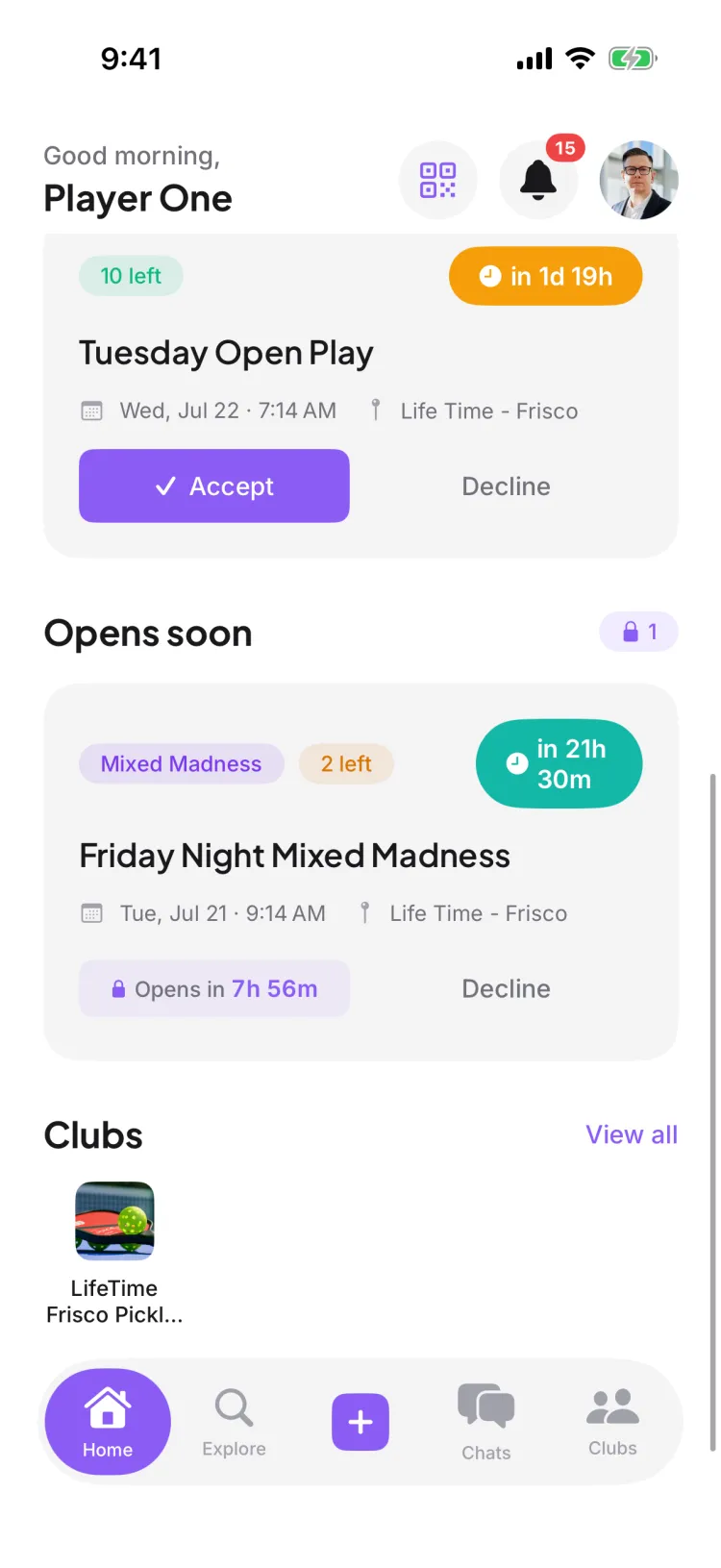
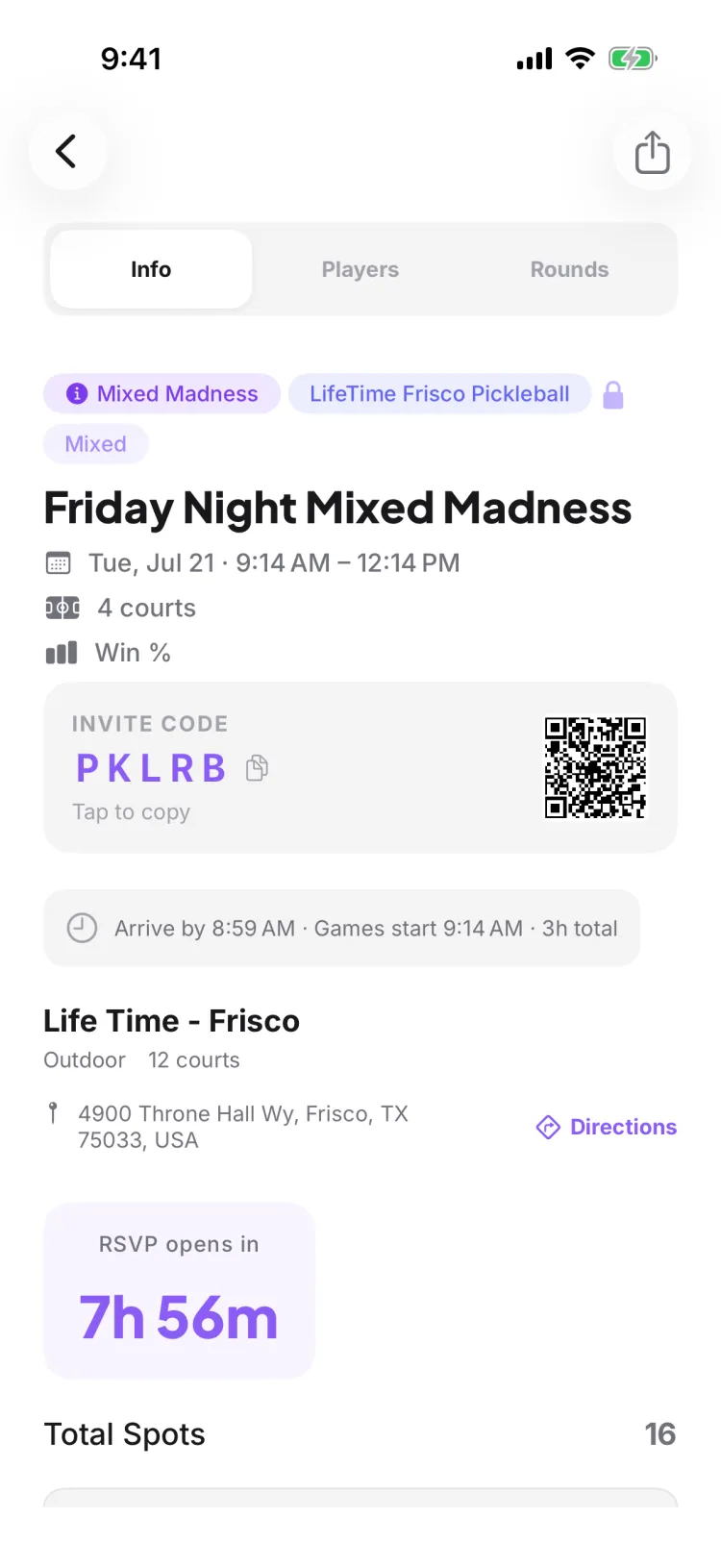
The organizer set an "RSVP opens at" time so a popular game doesn't fill the instant it's posted. Until that moment, the Accept button is replaced by a lock icon and an "RSVP opens in" countdown, and the app won't let you accept early — everyone gets the same starting gun instead of the seats going to whoever happened to open their phone first.
Can I decline before the window opens?
Yes. Only Accept is locked until the window opens — Decline (and cancelling later) always works. So if you already know you can't make a game, you can decline early and clear it off your list without waiting for the countdown.
What happens the moment the countdown hits zero?
The lock and countdown disappear, the Accept button appears, and the game opens for everyone at the same instant. Spots are claimed in real time as people tap Accept, and Pikel makes sure the game never overbooks — once every spot is taken, the next people to tap land on the waitlist, as long as the game has room on it. Some games run a limited waitlist or none at all, and once that's full you'll see "This game is full."
Where do I find games whose RSVP hasn't opened yet?
On your Home screen, under an "Opens soon" section. Games you've been invited to that are still counting down gather there, so you can see them ahead of time and be ready to tap Accept when the window opens.
Who decides when RSVP opens?
The organizer, when they create or edit the game. They can leave it as Immediately (opens the moment the game is posted), pick a preset like 1 hour, 2 hours, 1 day, 2 days, 3 days, or 1 week before start, or set a custom time. If they choose Immediately, there's no countdown at all.
How do I find open games near me?
Explore has an open-games section that surfaces public games and tournaments nearby. Public games let non-members RSVP, and you can even spectate a public session you're not playing in. Filter by what's close and jump into a game that still has room.
Why can't I RSVP yet? How does the "RSVP opens at" window work?
Some games open RSVPs at a set time so a popular game doesn't fill the instant it's posted — everyone gets the same fair shot. Until the countdown reaches zero, RSVP is locked; when it opens, spots are arbitrated fairly rather than by pure first-tap. If the game fills up, you can still join the waitlist.
How do club, group, and direct chats work?
Pikel has club chats, group chats, and direct messages, sorted into All, Clubs, Groups, and Direct. You can react to messages, reply in-thread, send photos, and @mention people, and you can mute a conversation if it gets noisy. Note that talk about one specific game happens in that game's comments, not a chat.
How do I cancel my RSVP if I can't make it?
Open the game and tap Cancel RSVP to give up your spot — you can RSVP again later if your plans change. If the game had a waitlist, cancelling automatically promotes the next person in line and sends them a notification, so a full game still opens up for someone else.
I'm getting too many notifications — how do I turn them off?
Open Notifications and tap the settings gear to reach Notification Settings, where a Game Reminders toggle switches off session-reminder pushes. The same screen shows whether system push is on and sends you to your phone's system settings if it isn't. To quiet just one club, each group has its own notification settings, and any chat can be muted from the conversation.

