How to Create a Pikel Account


Creating a Pikel account takes about thirty seconds, and there's no wrong way to do it — sign in with Google, use email and a password, or on an iPhone tap Continue with Apple. Whichever you pick, you land in the same place: ready to join your club, RSVP to a game, and find pickleball near you. Here's the whole flow, start to finish.
Step 1 — Download Pikel and open it
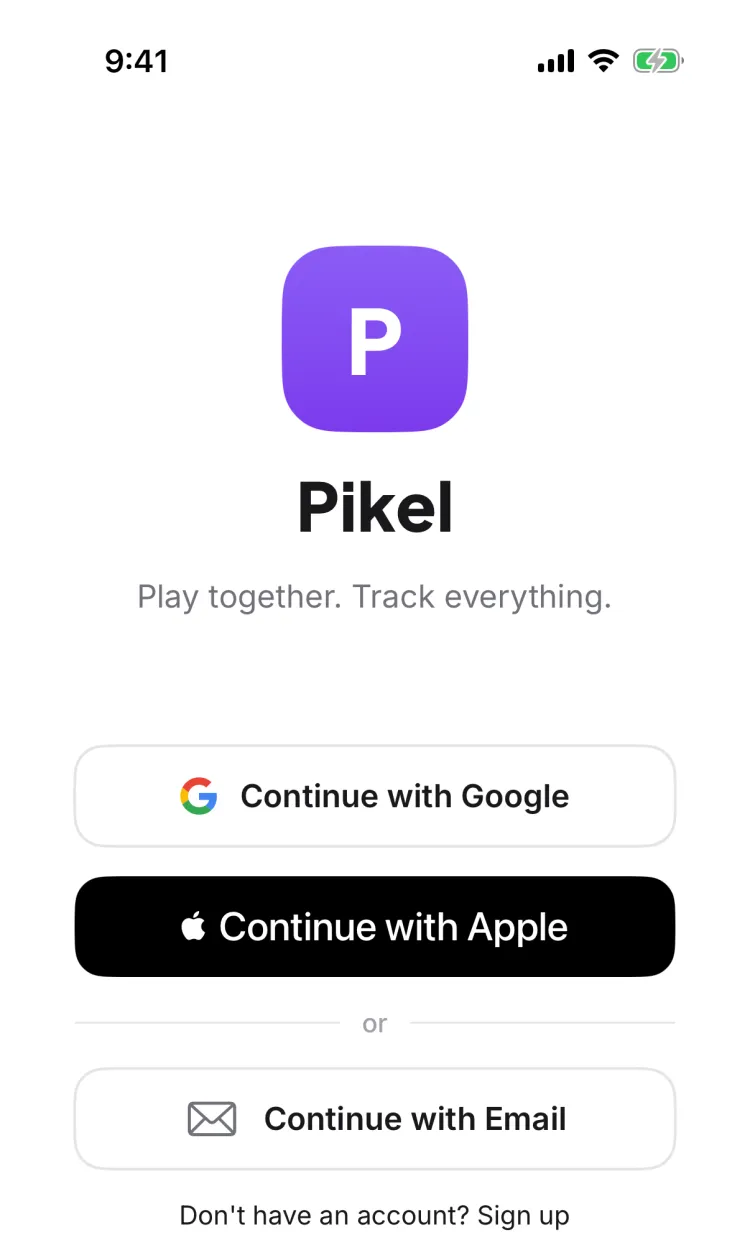
Grab Pikel from the App Store or Google Play (links at the bottom) and open it. The first thing you'll see is the welcome screen with the Pikel logo and your sign-in options. No account yet? That's exactly what this screen is for.
Step 2 — Pick how you want to sign in
You've got three ways in, and they all create the same account:
- Continue with Google — one tap, no password to remember. The fastest option on both iPhone and Android.
- Continue with Apple — iPhone only. One tap, and you can hide your email if you want to.
- Continue with Email — set your own email and password. This is the route to use if you'd rather not tie Pikel to a Google or Apple login.
Google and Apple sign you up instantly — there's nothing else to type. If you go with email, there's one more short step.
Step 3 — Create your account with email
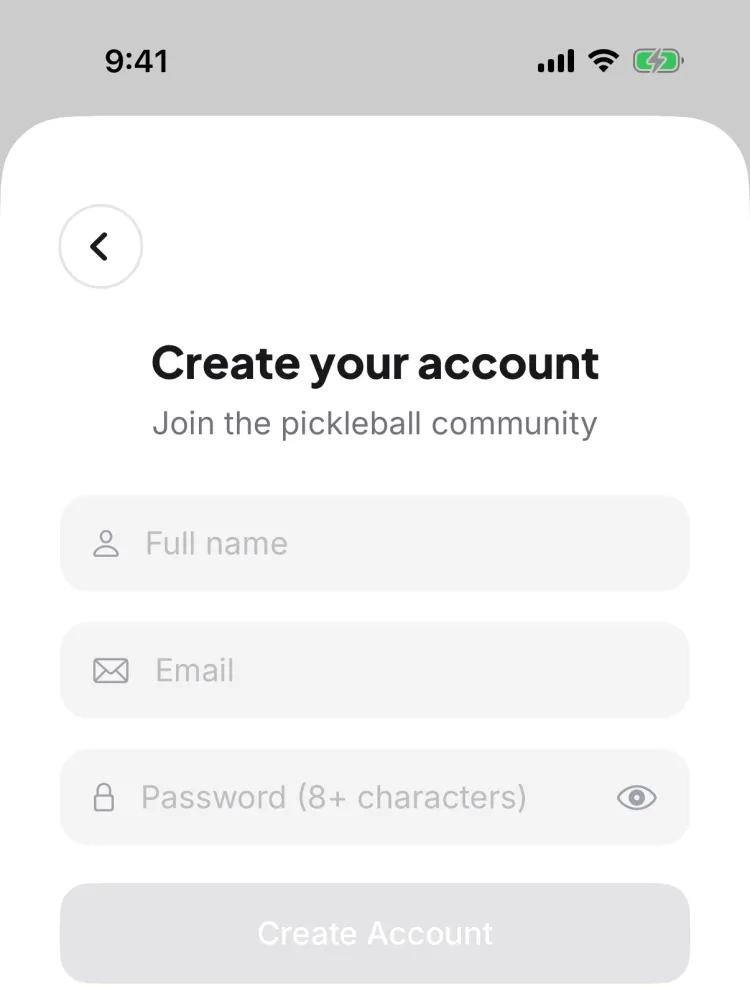
Tap Continue with Email, then open the sign-up form (there's a "Don't have an account? Sign up" link). Fill in three things:
- Full name — how you'll show up to your crew.
- Email — where club invites and game reminders land.
- Password — at least 8 characters.
Tap Create Account, and Pikel emails you a 6-digit verification code to confirm the address is really yours. Type the code into the six boxes — it checks itself automatically the moment the last digit lands, so there's no separate Submit to hunt for. Didn't get it? Wait for the countdown, then tap Resend email, or use "Wrong email?" to go back and fix a typo.
Step 4 — Finish the quick setup
Once you're verified, Pikel walks you through a short welcome tour and two optional steps:
- Add your name — if you signed up a way that didn't share it.
- Link your DUPR rating — pull in your official rating so it tracks automatically as you play.
Both are completely optional. Tap Skip for now on either and you go straight to the app — you can always link DUPR later from your profile. That's it: your account is live.
Pro tip
Sign up with the method you'll actually remember three months from now, and use the email you check. Club invites, game reminders, and waitlist promotions all go to that address — so the account tied to your real inbox is the one that keeps you in the loop. And if you already play ranked, linking your DUPR during setup is worth the extra ten seconds: your rating then updates on its own after games, with nothing else to file.
Get started
Pikel is live on iOS and Android — one account, your whole pickleball life.
Frequently asked questions
How do I sign up for Pikel?
Download Pikel, open it, and pick how you want to sign in. On the welcome screen you can tap Continue with Google, Continue with Email, or — on iPhone — Continue with Apple. Google and Apple sign you up in one tap; email lets you set your own password.
Can I create an account with just an email and password?
Yes. Tap Continue with Email, then open the sign-up form, and enter your full name, email, and a password of at least 8 characters. Pikel emails you a 6-digit code to confirm your address — type it in and you're in. The code auto-submits once you've entered all six digits.
Is Continue with Apple available on Android?
No. Continue with Apple is iPhone-only. On Android, Pikel offers Continue with Google and email-and-password sign-up. Both platforms share the same account, so you can sign in on either with Google or email.
What happens right after I create my account?
You get a short welcome tour, an optional prompt to add your name, and an optional step to link your DUPR rating. Every one of these is skippable — tap Skip and you land straight in the app, ready to join a club or find a game.
Can I use Pikel in my language?
Yes. Pikel is available in nine languages, including English, Spanish, French, German, Italian, Vietnamese, Malay, Hindi, and Filipino. It follows your phone's language by default, and you can change it anytime under Profile → Language.