How to Find Pickleball Courts Near Me


"Where can I play?" is the first question every pickleball player asks, and Pikel answers it from the Explore tab — a live map of courts, clubs, and open games around you. You don't need to join anything to use it: Explore is open to everyone, so you can scout your area the moment you open the app. Here's how to find pickleball courts near you and turn a pin on a map into an actual game.
Step 1 — Open the Explore tab
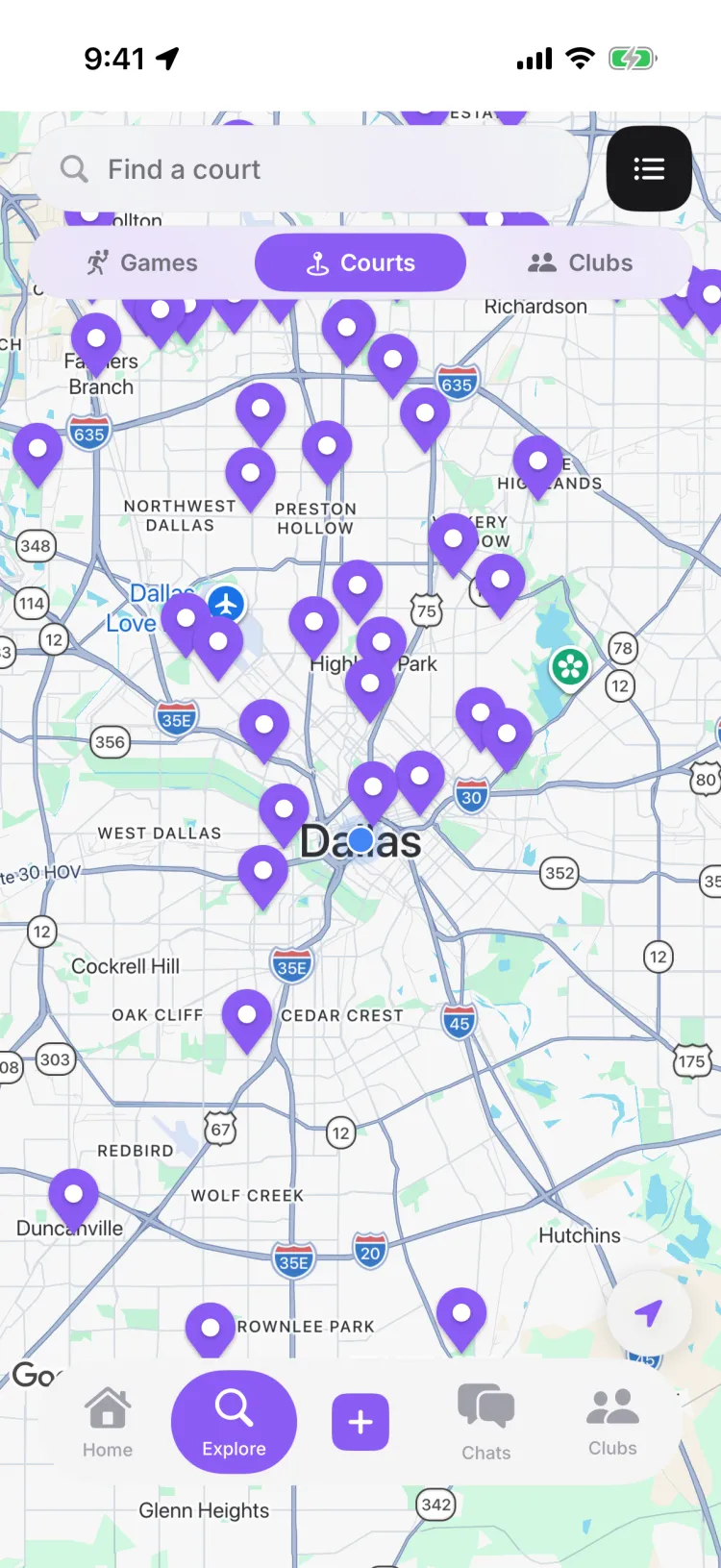
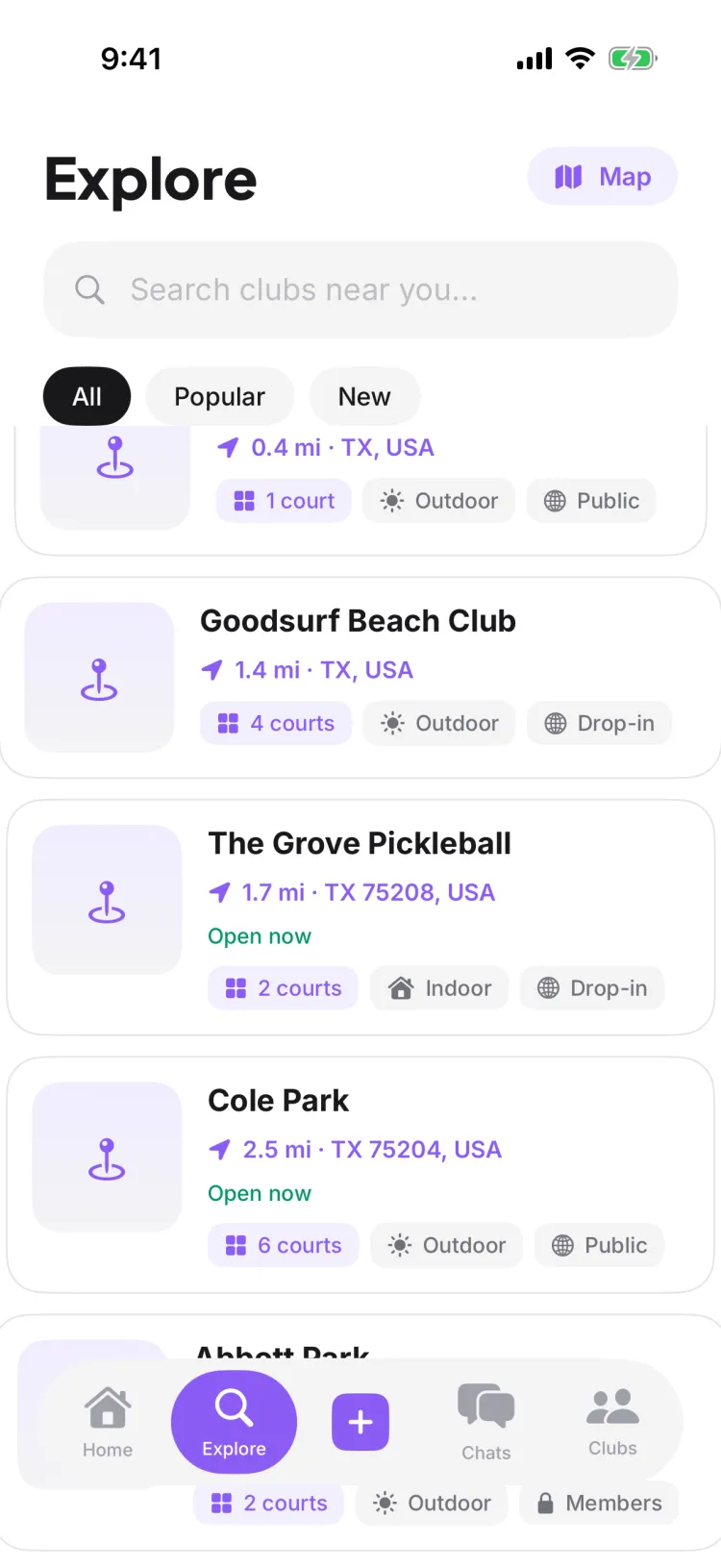
Explore is the second tab in the bottom bar, and it's where all your local discovery lives. There's a small difference in what you see first:
- On iPhone, Explore opens straight to the map.
- On Android, Explore opens to a list feed first — tap the Map pill in the top-right corner to switch to the map. (The map has its own List toggle to switch back.)
Either way you get the same two surfaces — a Map and a List — and you can move between them whenever you want.
Step 2 — Let Pikel find you (or search a city)
The first time you open Explore, Pikel asks to use your location. Allow it and the map centers on you with a blue dot, and courts sort by distance — nearest first.
Don't want to share location? You don't have to. You can still browse everything:
- Use the map's search — "Court name, city, or ZIP" — to jump to any place Pikel has data, not just where you're standing.
- The prompt on an un-located map reads "Turn on location, or search a city", so a city search is a first-class way in.
If you tapped "not now" earlier and change your mind, the map offers an Enable location in Settings shortcut — Pikel never nags you with a second permission pop-up.
Step 3 — Filter the map with lenses: Games, Courts, Clubs
The map carries a three-way lens picker — Games · Courts · Clubs. It changes what the pins mean:
- Courts — every nearby venue as a pin (this is the default). Zoom in to reveal all the courts in an area.
- Clubs — clubs near you that you could join.
- Games — upcoming open games you could jump into.
Tap a lens to swap the map without leaving the screen.
Step 4 — Open a court for the full picture
Tap any court — a pin on the map, or a card under Courts near you in the list — to open its page. You'll find:
- Details and Schedule tabs.
- Address, hours, amenities, total court count, and a Google rating.
- Get Directions and View on Google Maps to actually get there.
The Schedule tab shows the games happening at that court, so you can see if there's already play you can join.
Step 5 — Turn a court into a game
Finding the court is the start — the point is to play. From here you can:
- Start a game there. If a court has nothing on the schedule, Pikel invites you to "Be the first — create a game at this court."
- Join a club. Switch to the Clubs lens (or the Clubs near you list section) to find a local club and request to join.
- RSVP to an open game. The Games lens and the Open Games card surface games that are already on, so you can grab a spot.
Pro tip
Traveling for the weekend, or scoping a new neighborhood? Skip the "near me" default and open the map's search — type a city or ZIP and Pikel drops you into that area's courts before you ever arrive. And back home, the List view stacks two labeled sections — Clubs near you and Courts near you — alongside an Open Games card and a Tournaments & Leagues open to join feed, so one screen covers courts, crews, and games all at once.
Get started
Pikel is free on iOS and Android. Download it, open Explore, and the courts near you are one tap away.
Frequently asked questions
How do I find pickleball courts and clubs near me?
Open the Explore tab. It shows a map of courts, clubs, and open games near you, with Games, Courts, and Clubs lenses to filter down to what you want. Tap a court for its details and schedule, get directions, or start a game there. Explore is open to everyone — you don't need to be in a club to look around.
Do I need to turn on location to use Explore?
No. Pikel asks to use your location so it can center the map on you and sort results by distance, but you can skip it and still browse. Use the map's search to type a court name, a city, or a ZIP and jump anywhere Pikel has data. If you declined location earlier, there's an Enable location in Settings shortcut on the map.
Do I have to join a club to see courts near me?
No. Explore is a public discovery surface — anyone with the app can open it and browse courts, clubs, and open games without joining anything first. Joining a club or RSVPing to a game is a separate, optional step you take once you've found something you like.
What can I do from a court's page?
Tap a court to open its Details and Schedule tabs — address, hours, amenities, court count, a Google rating, plus Get Directions and View on Google Maps. The Schedule tab lists games happening there, and if none are scheduled yet you can be the first to create a game at that court.
What do the Games, Courts, and Clubs lenses do?
They're a three-way filter on the Explore map. Courts shows every nearby venue as a pin, Clubs shows clubs you could join, and Games shows upcoming open games. The map opens on Courts by default; tap another lens to swap what the pins represent.