RSVP Opens At: How the Pikel Fairness Window Works


Some Pikel games don't let you RSVP the second they're posted. Instead you'll see a lock icon and a countdown that reads "RSVP opens in…" — that's the fairness window. It exists so a popular game with limited spots doesn't get won by whoever happens to be staring at their phone when it's created. Everyone gets the same starting gun, the window opens for the whole group at once, and the spots go from there. Here's exactly how it works and what you can (and can't) do while the clock is ticking.
Step 1 — Spot the "RSVP opens in" countdown
When an organizer sets an opening time, the game doesn't show a normal Accept button yet. In its place you'll see a lock icon and a live "RSVP opens in" countdown that ticks down — days and hours when it's far out, minutes and seconds as it gets close. On your Home screen, these games gather under an "Opens soon" section so you can see them coming before the window opens.
The countdown isn't a "you're locked out" warning — it's a "hold tight, your shot is coming" one. Nobody in the game can accept ahead of you.
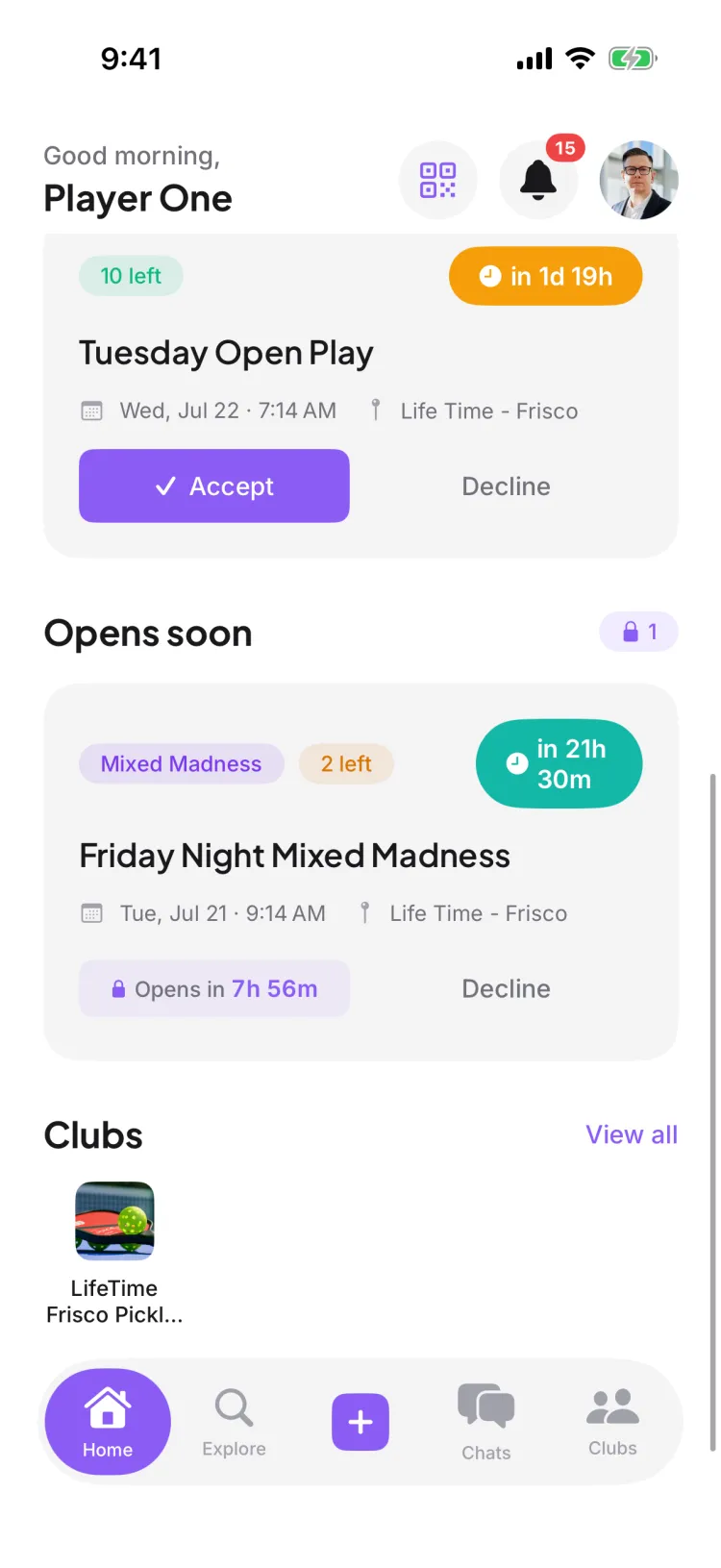
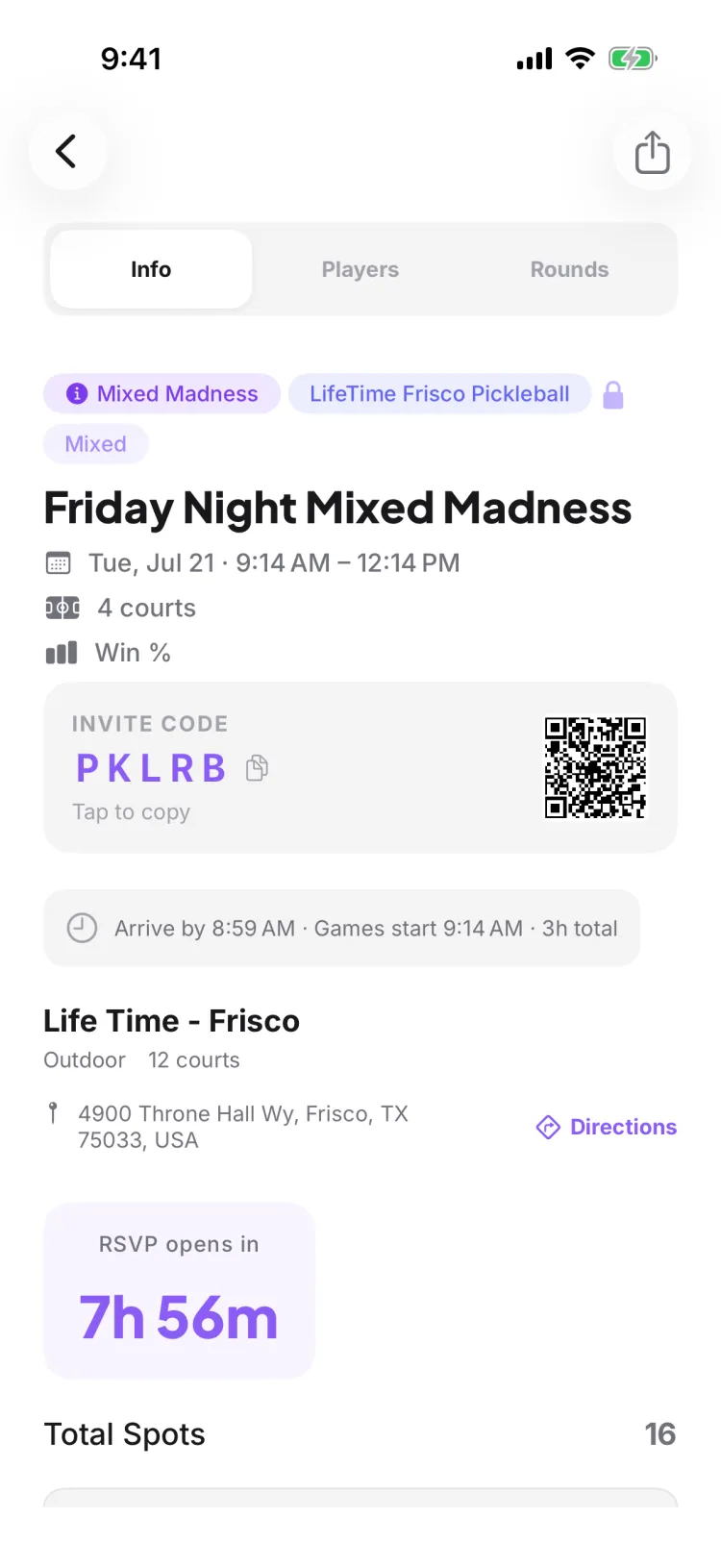
Step 2 — You can decline early, but not accept
Here's the key rule: while the window is closed, only Accept is locked. You can still Decline any time. So if you already know a game's not for you, decline it now and clear it off your list — no need to wait for the countdown. If you try to accept early, Pikel won't let it through; the app deliberately holds the Accept button back so nobody can jump the line.
That one-sided lock is the whole point. The playing field is level because no player — not even the person who opened the app first — can grab a spot before the window opens for everyone.
Step 3 — When it opens, everyone gets the same shot
The instant the countdown hits zero, the lock and the countdown disappear and the Accept button appears — for the entire group at the same moment. From there, spots are claimed in real time as people tap Accept. Pikel counts each spot as it's taken and makes sure the game never overbooks: exactly as many players get in as there are spots, and there's no double-booking even when a crowd taps at once.
You don't need to refresh or reopen the game — the countdown flips to a live Accept button on its own, right in place.
Step 4 — Game full? You land on the fair waitlist
If the spots fill up before you tap — and the game still has room on its waitlist — you're not turned away; accepting puts you on the waitlist with your position instead. This is the other half of "fair": if someone who got in later cancels, Pikel automatically promotes the next person on the waitlist into the open spot and sends them a push notification. You don't have to sit and refresh — if a seat opens, it comes to you in order. (Some games run a limited waitlist, or none at all — once it's full, tapping Accept shows "This game is full," and you'll want to grab a different game.)
So even if you miss the first rush, staying on the waitlist keeps you in line for a real shot at playing.
Pro tip
Treat the countdown like a tee time. Because everyone opens at the same instant, being ready matters more than being lucky. If a game you want shows an "RSVP opens in" countdown, note when it drops, have the app open a few seconds early, and tap Accept the moment the button appears. And if you already know you can't make it, decline early — that keeps the fairness window honest and gives a teammate a cleaner shot at the spot.
Get started
Pikel is live on iOS and Android — find your game, watch for the window, and be ready to tap Accept.
Frequently asked questions
Why can't I RSVP to this game yet?
The organizer set an "RSVP opens at" time so a popular game doesn't fill the instant it's posted. Until that moment, the Accept button is replaced by a lock icon and an "RSVP opens in" countdown, and the app won't let you accept early — everyone gets the same starting gun instead of the seats going to whoever happened to open their phone first.
Can I decline before the window opens?
Yes. Only Accept is locked until the window opens — Decline (and cancelling later) always works. So if you already know you can't make a game, you can decline early and clear it off your list without waiting for the countdown.
What happens the moment the countdown hits zero?
The lock and countdown disappear, the Accept button appears, and the game opens for everyone at the same instant. Spots are claimed in real time as people tap Accept, and Pikel makes sure the game never overbooks — once every spot is taken, the next people to tap land on the waitlist, as long as the game has room on it. Some games run a limited waitlist or none at all, and once that's full you'll see "This game is full."
Where do I find games whose RSVP hasn't opened yet?
On your Home screen, under an "Opens soon" section. Games you've been invited to that are still counting down gather there, so you can see them ahead of time and be ready to tap Accept when the window opens.
Who decides when RSVP opens?
The organizer, when they create or edit the game. They can leave it as Immediately (opens the moment the game is posted), pick a preset like 1 hour, 2 hours, 1 day, 2 days, 3 days, or 1 week before start, or set a custom time. If they choose Immediately, there's no countdown at all.